Infographic / Edu Visual - Ultra-realistic Commercial Veg Burger Photography and Exploded View

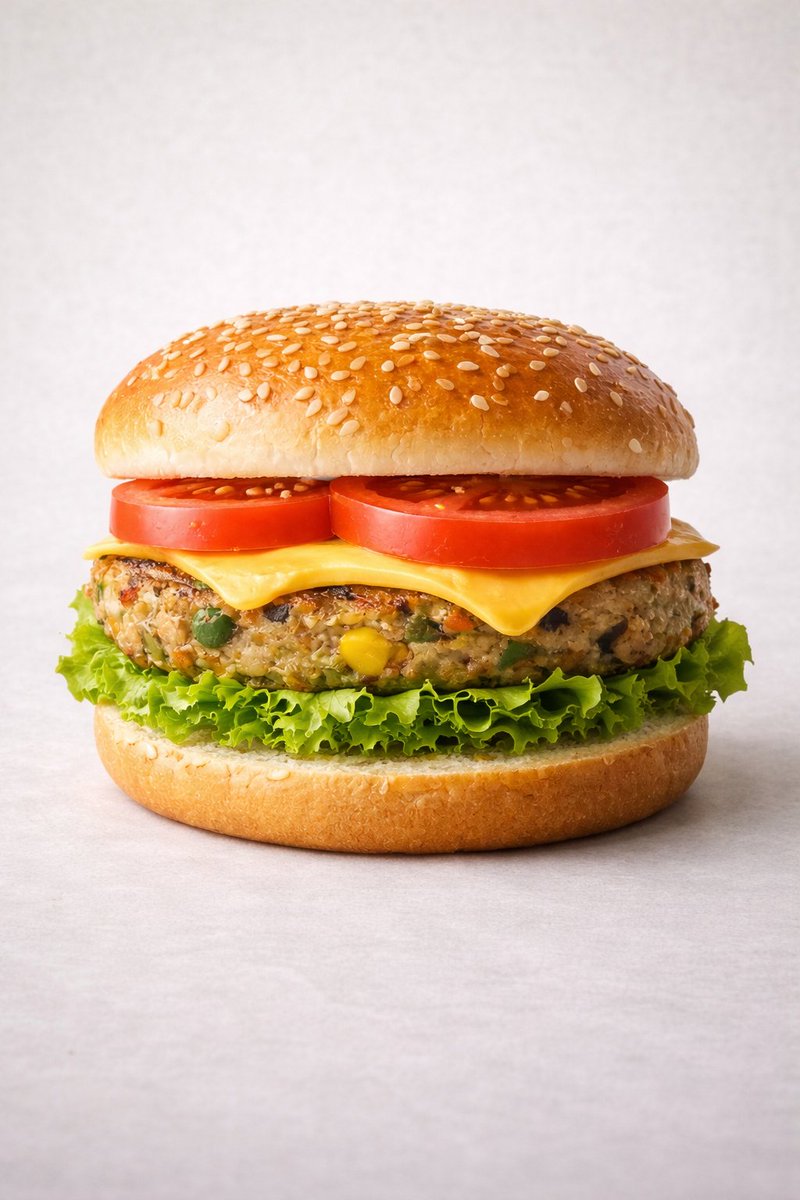
A dual-prompt entry for food photography. The first prompt generates an ultra-realistic, perfectly stacked commercial image of a vegetarian burger. The second prompt generates an exploded, infographic-style view of the burger's five ingredients, complete with specific weights, designed for commercial recipe breakdown. It also includes a motion prompt for a video of the burger spinning and separating.

Prompt

1,484 charactersOpen Astorie studio ↗
Motion Prompt: The burger start to round spin while ingredients separate gently and precisely, maintaining alignment and scale. The motion is smooth, with no extra effects.

IMAGE 1 - Ultra-realistic studio food photography of a freshly prepared {argument name="burger type" default="vegetarian"} burger, centered in frame. A soft sesame seed bun on top, layered with ripe red tomato slices, melted cheddar cheese, a thick grilled veg patty with visible vegetables (corn, peas, carrots), crisp green lettuce, and a soft bottom bun. Perfectly stacked and symmetrical. Neutral light grey studio background with subtle texture, soft diffused lighting, gentle shadows beneath the burger, high sharpness and natural colors. Premium fast-food commercial style, realistic textures, glossy highlights on cheese and bun, shallow depth of field, ultra-high resolution, clean composition, no text, no labels, no hands, no props, no watermark.

IMAGE 2 - Exploded view of the same veg burger, presented as a clean, commercial recipe-style breakdown.
Exactly five ingredients, separated and arranged vertically from top to bottom, evenly spaced and perfectly aligned.
Ingredient order (top → bottom):
Fresh tomato slices — 30 g
Cheddar cheese slice — 25 g
Grilled veg patty — 90 g
Crisp lettuce — 20 g
Soft sesame burger bun — 80 g (bottom base)
Add clear infographic-style annotations for each ingredient with exact weights.
Minimal, instructional, commercial style on a light neutral background.

From sourceView source ↗

More to explore

Social Media Post - Red Velvet Leotard Portrait Comparison
Profile / Avatar - Purple Sweater Portrait Comparison
Profile / Avatar - Nano Banana Pro Lake Portrait Comparison
Profile / Avatar - Cute Star Night Light Portrait Comparison
Social Media Post - Nano Banana Pro Silver Metallic Gown Portrait
Profile / Avatar - Early 2000s Internet Cafe Webcam Couple

Profile / Avatar - Early 2000s Internet Cafe Webcam Couple

Fav PromptNano Banana Pro
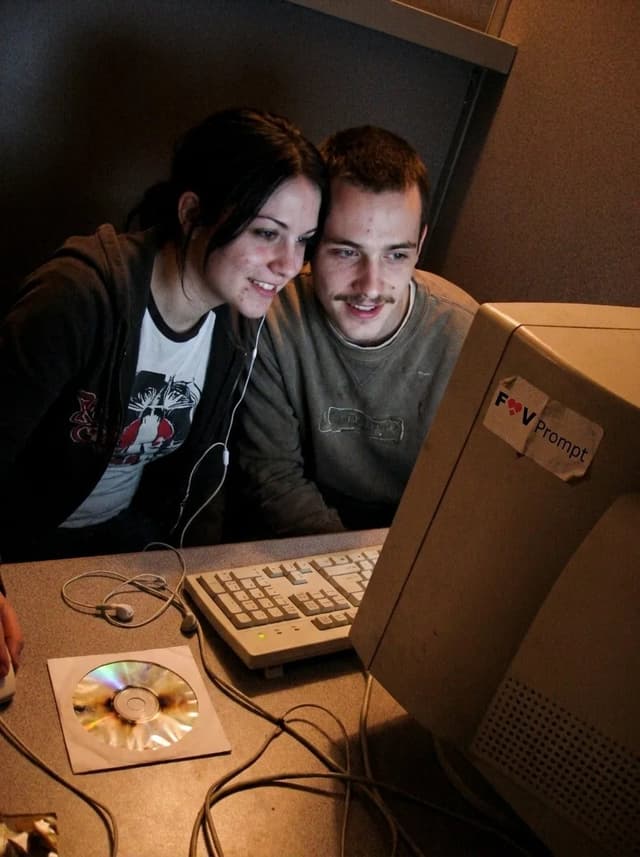
A candid couple photo of the Woman's Look and Man's Look in the Setting, engaged in the Activity. Render it as the Camera Type, with soft focus, smeared facial detail, color noise, dim uneven indoor light and low-resolution compression. Use awkward webcam framing from a desk-level angle, with a slight tilt and casually cropped shoulders or arms. Include the Era Props naturally in the booth. The couple should look genuinely close and relaxed, with real skin, messy everyday hair and no heavy retouching. Use Face Reference for the matching faces when applicable. Make it feel like an unedited early-2000s personal photo from an old Facebook album or MSN chat, not a modern image with a retro filter. No date stamp, text, watermark, modern electronics or current fashion. Output in the Format.

Use these details:
Woman's Look: "{argument name="woman's look" default="Young woman in her early 20s with straight black hair, a casual graphic T-shirt and a loose zip hoodie"}"
Man's Look: "{argument name="man's look" default="Young man in his early 20s with a thin mustache, tousled hair and a worn casual sweatshirt"}"
Setting: "{argument name="setting" default="A cramped internet cafe booth with a laminate desk, worn carpet, beige walls and bulky CRT monitors"}"
Activity: "{argument name="activity" default="Leaning close together and looking into the webcam during an online chat"}"
Camera Type: "{argument name="camera type" default="Low-resolution built-in webcam capture from a chunky desktop computer"}"
Era Props: [{argument name="era props" default="Wired earphones, A burned CD in a paper sleeve, A chunky desktop keyboard"}]
Face Reference: "{argument name="face reference" default="Use attached photos for the matching person's face when provided; if none are attached, invent both faces"}"
Format: "{argument name="format" default="4:3 landscape"}"

Find your next direction

ASTORIE CANVAS

Take the idea further.

Bring your prompts, references and results together in one creative space.

Open your canvas ↗