Profile / Avatar - Montmartre caricature portrait

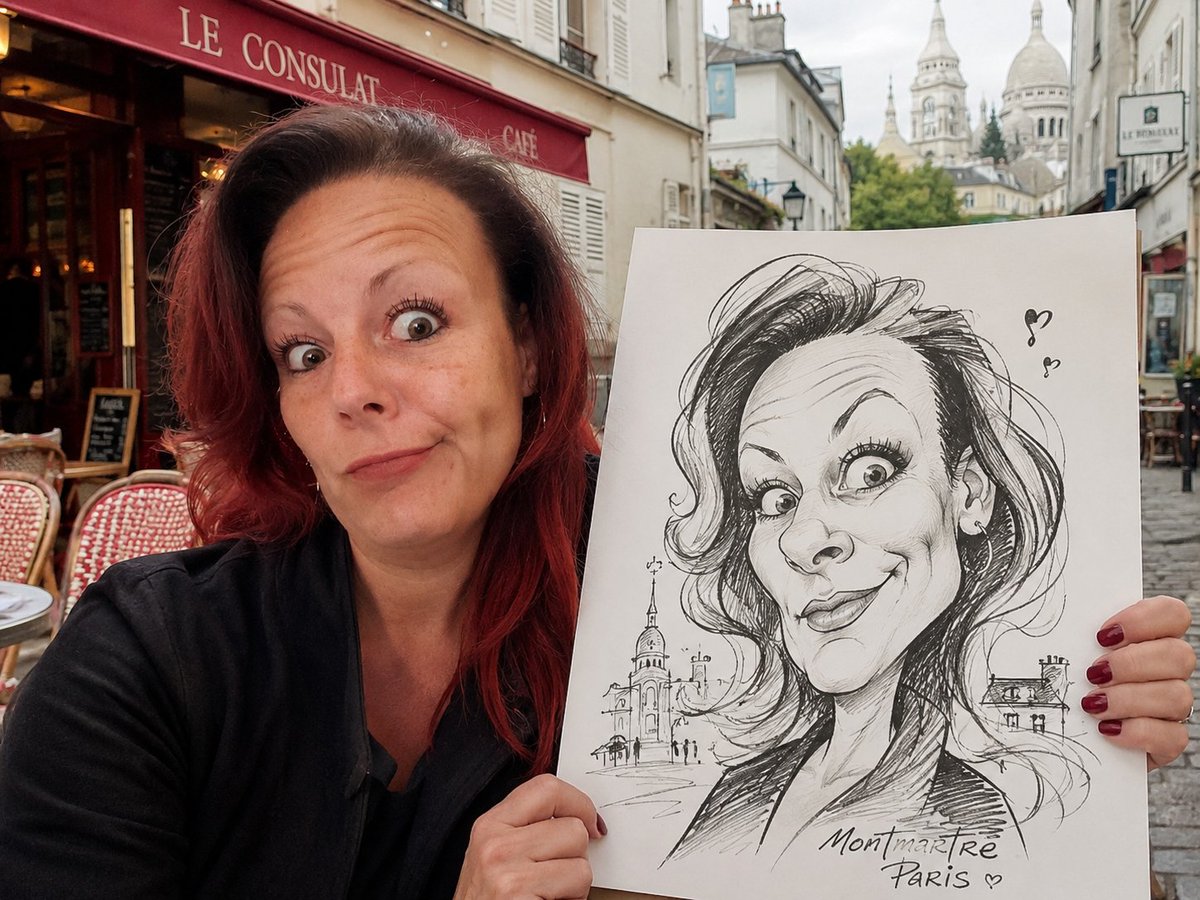
A prompt for generating a cinematic photorealistic portrait of a person in Montmartre holding a drawing pad with their own exaggerated caricature on it.

Prompt

2,068 charactersOpen Astorie studio ↗
Use the uploaded portrait photo as the primary identity reference. Preserve the person’s recognizable facial identity as accurately as possible, including their face shape, apparent age, receding hairline or hairstyle, eyebrows, eye shape, nose, mouth, jawline, salt and pepper beard pattern, skin tone, expression, and overall individual character.

Create a cinematic, photorealistic 4:3 portrait scene in a quiet, charming corner of Montmartre, Paris. Show the same person from the uploaded photograph sitting or standing outside a classic Parisian café on a peaceful tourist street. The setting should feel authentically Montmartre, with a cobblestone street, old cream-colored buildings, café chairs, a red café awning, soft daylight, an artistic street atmosphere, and the Sacré-Cœur softly visible in the background.

The person should be clearly visible within the frame and photographed realistically, wearing a simple dark shirt or jacket. He holds a large white drawing pad beside him, facing the camera.

The paper features an exaggerated French street caricature of the same person, drawn in the classic old-school style of a Montmartre tourist artist. The caricature should appear hand-drawn using black ink or pen lines on white paper. It should be dramatically exaggerated and humorous while remaining clearly recognizable as the same person.

Push the facial features theatrically: an oversized or unusually shaped nose, an exaggerated jawline, enlarged ears, expressive eyebrows, distorted facial proportions, a broad mischievous smile, a strongly emphasized beard shape, and a playful, over-the-top expression. Keep the caricature charming, funny, and artistic rather than grotesque.

Important: clearly show both versions within a single image:

The real, photorealistic person
The caricature drawing of the same person on the paper

Use realistic lighting, a clean composition, high detail, natural skin texture, believable hands holding the paper, a calm background, and a playful vintage Parisian tourist-souvenir atmosphere.

Aspect ratio: 4:3.
From sourceView source ↗

More to explore

Game Asset - Medieval MMORPG Inventory UI Screenshot

Game Asset - Medieval MMORPG Inventory UI Screenshot

Mormon NegroGPT Image 2
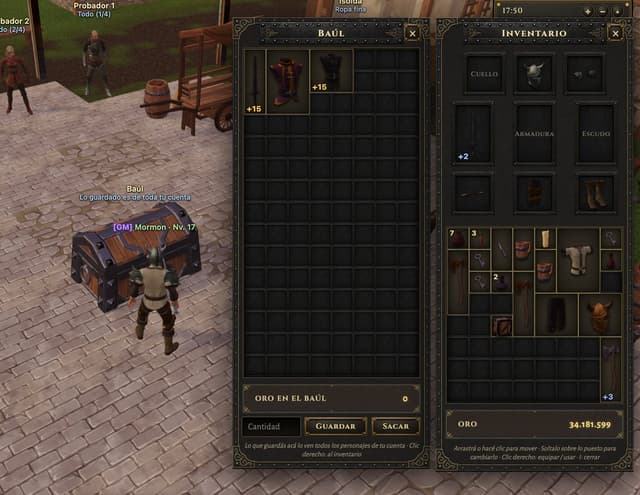
Goal: Create a realistic screenshot of a medieval MMORPG inventory and storage interface, specifically featuring a chest (Baúl) and character equipment panel.
Canvas: Landscape orientation, high resolution, mimicking a game client window.
Layout: Split composition. The left third shows the 3D game world with a cobblestone street, a wooden cart, an NPC, and a player character standing next to a large open treasure chest. The right two-thirds are occupied by two vertical UI panels overlaying the scene.
Sections:
1. Left Panel (Storage): Header reads "BAÚL" in gold serif font on a dark metal background. Contains a grid of empty dark slots. Top row has three items: a sword (+15), a purple robe (+15), and black boots (+15). Bottom section displays "ORO EN EL BAÚL" with value 0, and buttons labeled "Cantidad", "GUARDAR", and "SACAR".
2. Right Panel (Inventory): Header reads "INVENTARIO". Top section is an equipment paper-doll layout with slots labeled "CUELLO", "ARMADURA", "ESCUDO" containing a helmet, breastplate, and shield icons. Below is a mixed grid of inventory items including potions, keys, axes, and armor pieces. Bottom section displays total "ORO" as 34.181.599.
Visual style: Dark fantasy aesthetic. UI frames have ornate gold filigree corners and riveted metal textures. Fonts are classic serif (Times New Roman style) in white and gold. Lighting is ambient daylight.
Text content: Preserve Spanish labels exactly as seen: "BAÚL", "INVENTARIO", "ORO EN EL BAÚL", "GUARDAR", "SACAR", "CANTIDAD", "CUELLO", "ARMADURA", "ESCUDO", "ORO".
Infographic / Edu Visual - Kiyomizu-dera Travel LP with Anime Mascot

Infographic / Edu Visual - Kiyomizu-dera Travel LP with Anime Mascot

あぽろGPT Image 2
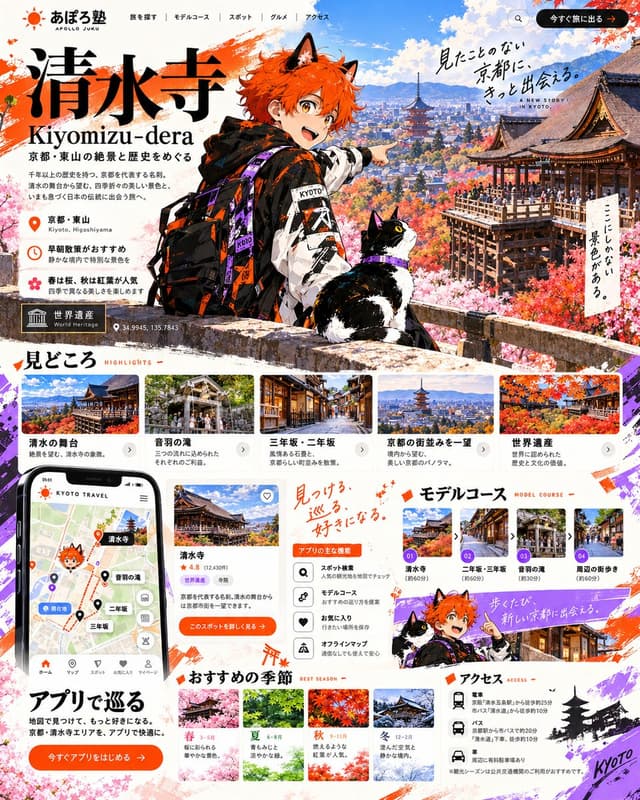
Goal: Create a comprehensive, high-density vertical travel landing page (LP) for Kiyomizu-dera in Kyoto.
Canvas: Vertical aspect ratio (approx. 4:5), featuring a vibrant mix of anime illustration and realistic photography with a clean white background accented by orange and purple brushstrokes.
Layout:
1. Header: Top navigation bar with logo 'あぽろ塾 APOLLO JUKU' on the left, menu items (Search, Model Course, Spot, Gourmet, Access) in center, and an orange CTA button '今すぐ旅に出る' on right.
2. Hero Section: Large title '清水寺 Kiyomizu-dera' in bold black serif font. Subtitle '京都・東山の絶景と歴史をめぐる'. A central anime character (orange hair, cat ears, streetwear jacket with 'KYOTO' text) pointing right, accompanied by a tuxedo cat. Background shows a panoramic view of Kyoto with autumn foliage and pagodas. Floating handwritten text: '見たことのない京都に、きっと出会える。' and 'ここにしかない景色がある。'. Location info block: '京都・東山', '早朝散策がおすすめ', '春は桜、秋は紅葉が人気'. World Heritage badge and coordinates '34.9945, 135.7843'.
3. Highlights Section ('見どころ'): Horizontal scrollable cards showing photos of '清水の舞台', '音羽の滝', '三年坂・二年坂', '京都の街並みを一望', '世界遺産'. Each card has a photo, title, and short description.
4. App & Features Section: Left side features a smartphone mockup displaying a map app interface with pins for Kiyomizu-dera, Otowa Waterfall, etc. Center column lists 'アプリの主な機能' (App Main Features) with icons: Spot Search, Model Course, Favorites, Offline Map. Right side is 'モデルコース' (Model Course) with numbered steps 01-04 showing route thumbnails.
5. Seasonal Recommendations ('おすすめの季節'): Four distinct seasonal blocks (Spring, Summer, Autumn, Winter) with corresponding landscape photos and brief text descriptions.
6. Access Section ('アクセス'): Bottom right area listing transport options (Train, Bus, Car) with specific station names and walking times. Includes a small silhouette of a pagoda and 'Kyoto' script.
Visual style: Modern Japanese web design aesthetic. High contrast between the colorful anime mascot and the serene real-world photography. Use of orange (#FF5722 approx) and purple accents. Clean sans-serif typography for body text, elegant serif for headings.
Text content: Preserve all Japanese text exactly as shown in the image, including section headers like '見どころ', 'モデルコース', 'アクセス', and the specific location names.
Infographic / Edu Visual - GPT Image 2 Hand-drawn Infographic Prompt

Infographic / Edu Visual - GPT Image 2 Hand-drawn Infographic Prompt

小小东GPT Image 2
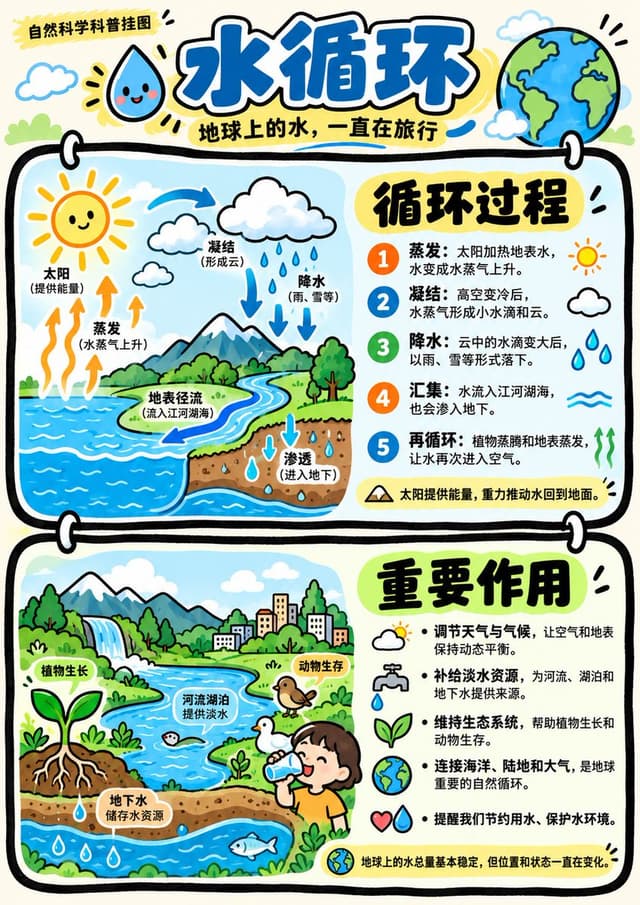
Two vertically connected rounded rectangular panels are anchored by extremely thick, slightly undulating black hand-drawn outlines, with white buckles crossing the panel edges, forming striking paired modules and clear vertical rhythm. Content is organized using Gestalt proximity and layout zoning, with each panel internally divided into a stable left-image/right-text column, balancing left and right weights, titles and information read top-to-bottom in the right column; the overall visual center falls on the junction of the two panels and their respective prominent large titles, keeping the page header area independent with logos and main title. Images and text connect via juxtaposition and backing: the left side is reserved for character or theme illustrations, placed on irregular rounded clean light-colored bases; the right side uses prominent large characters to lead multiple lines of explanation, accompanied by small line-drawing symbols adjacent to text to indicate content. Text hierarchy is always distinct, large titles are thick and striking, explanatory text is thinner with generous line spacing, small text and symbols create rhythm points; glyph construction is upright and readable, with clear counters, crisp endings, and compact faces complementing handwritten images, maintaining this hierarchy regardless of text volume; when text is insufficient, secondary small text is supplemented based on the theme. Text edges are flat and clear, forming a clean typography layer outside the hand-drawn lines. Whitespace includes gaps between panels, backing whitespace around image bases, reading gaps between text lines, and pauses between header and body; each remains spacious, allowing thick frames, illustrations, and titles to stand out clearly. Illustration content is provided by the appended theme, adopting a complete, concentrated, slightly tilted hand-drawn composition within the left column, with simple main outlines, light dynamic details, and upright load-bearing parts; content density is about half-frame, mainly concentrated in the left column of each panel, the rest being white or light-colored rounded bases, flat panel color blocks, and bottom whitespace, generating no scenery. Uses a composite of techniques: outlining frames and characters with continuous, slightly shaky thick black lines; spreading large panel areas and local illustration colors with clean, smooth digital flat coloring; pressing information areas with crisp text typesetting; overall resembling an illustration arrangement synthesized from hand-drawn lines, computer flat coloring, and clear typesetting. Color scheme maintains a high-brightness keynote, colors vivid, saturated but not glaring, the most intense color surfaces fall within the paired panels echoed by character locals; pairing warm light backgrounds with varying brightness levels of light color surfaces, stabilizing layers with strong black-and-white line text contrast. Overall warm and cheerful, friendly and energetic, resembling matte digital color blocks combined with dense marker lines; hue follows the theme, but brightness/darkness, thickness/thinness, saturation/dilution, warm tendencies, and cheerful friendly psychological feelings maintain this personality regardless of theme. Overall temperament is light, friendly, and orderly. Appended theme, accurate text, usage, and aspect ratio take priority; grouping of upper/lower panels, left-image/right-text, thick black hand-drawn borders, image backing, clear text hierarchy, and high-brightness warm-thick color schemes remain unchanged.

------
Theme: Water Cycle Educational Poster

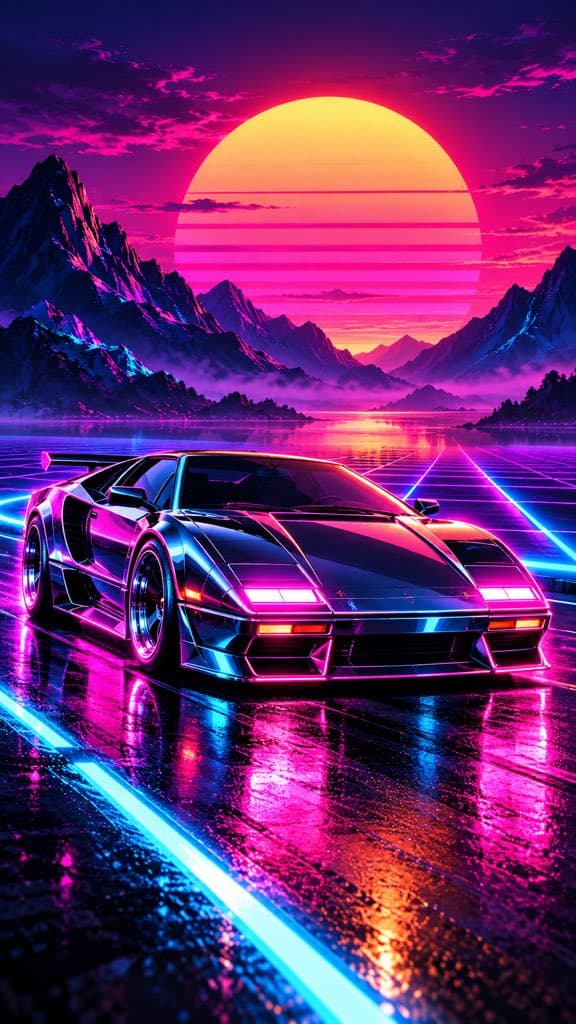
Social Media Post - Synthwave Sports Car at Sunset
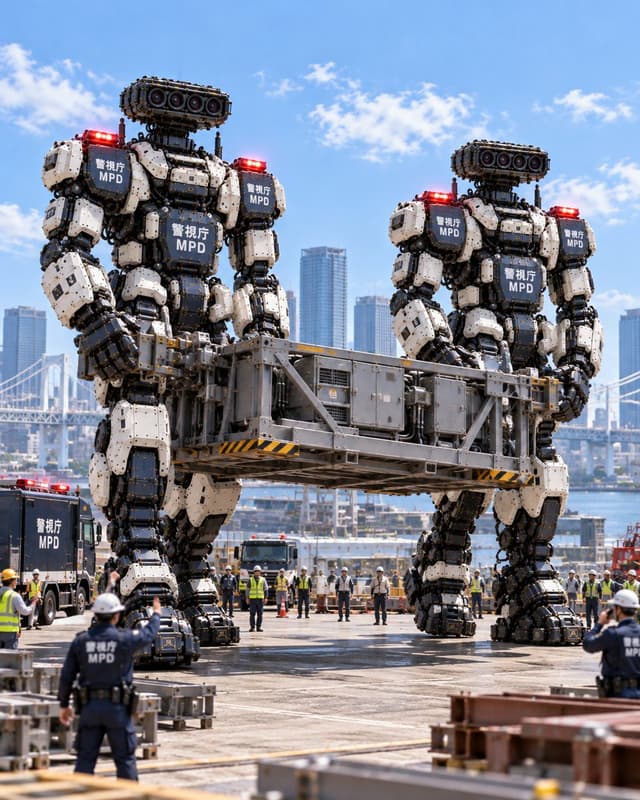
Social Media Post - Giant MPD Robots Carrying Heavy Load
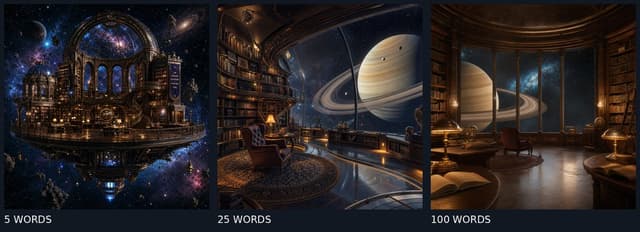
Social Media Post - GPT Image 2 Prompt Length Comparison

Find your next direction

ASTORIE CANVAS

Take the idea further.

Bring your prompts, references and results together in one creative space.

Open your canvas ↗