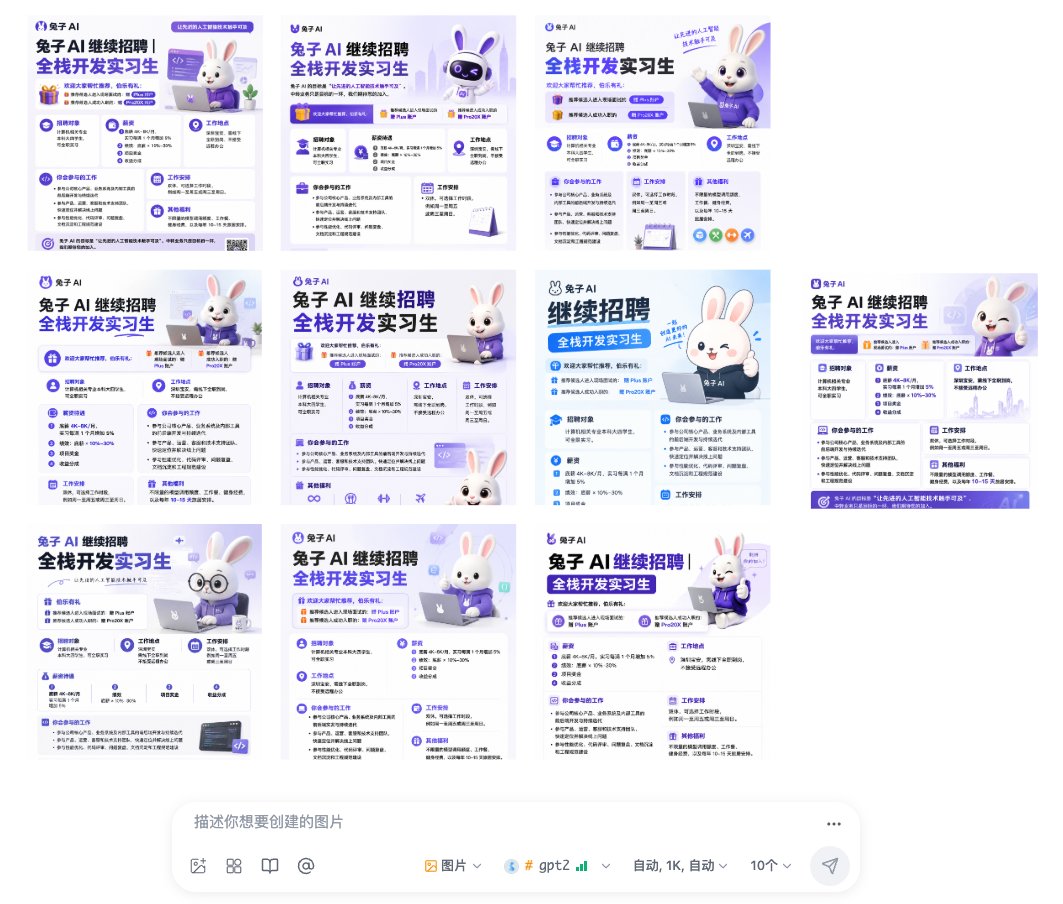
Infographic / Edu Visual - Ten Rabbit AI Recruitment Poster Variations

A wide interface-style collage of 10 consistent Chinese recruitment poster variations for a Rabbit AI full-stack intern hiring campaign.

Prompt

3,774 charactersOpen Astorie studio ↗
Goal: Create a desktop screenshot-like collage showing 10 AI-generated recruitment poster variations for a Chinese tech company, all with nearly identical purple-and-white branding and a cute rabbit mascot, arranged above a prompt input bar.

Canvas: Wide 16:9 white interface screenshot, about 1064×922 px. Leave generous white margins. The image area occupies the upper 80%, and a rounded prompt composer bar sits centered along the bottom.

Main layout: Arrange exactly 10 square poster thumbnails in a loose grid with slight spacing, as if displayed in an image-generation results gallery. Count and placement of thumbnails: 3 posters across the top row; 4 posters across the middle row; 3 posters across the bottom row. Each poster is a clean Chinese recruitment flyer with the same core visual identity but small layout variations.

Poster design shared by all 10 thumbnails: Use a light lavender-to-white background, deep purple and bright blue typography, rounded cards, small icons, thin dividers, soft shadows, and a polished SaaS/AI startup aesthetic. Every poster should feature the logo text {argument name="company name" default="兔子 AI"} near the top, a large bold Chinese headline {argument name="headline text" default="兔子 AI 继续招聘 全栈开发实习生"}, and multiple information blocks resembling a job description. Use readable-looking Chinese microtext but it may be partially too small to read at thumbnail size. Include iconography such as gift boxes, graduation caps, location pins, calendars, code brackets, laptop icons, check marks, and circular badges.

Mascot subject: Include a cute white 3D rabbit mascot in most posters, with pink inner ears, glossy black eyes, a friendly smile, and a purple hoodie or shirt branded with the company name. Vary the mascot pose across the 10 posters: sitting with a laptop, waving, giving a thumbs-up, peeking from the bottom edge, wearing round glasses, and standing beside cards. The rabbit should feel like a friendly AI assistant mascot.

Poster content blocks: Each thumbnail should show several compact recruitment sections, including exactly these recurring block types across the designs: recruitment target, requirements, job location, internship participation/work content, work arrangement, and benefits. Some posters may have a purple CTA strip or footer, small QR-code-like square, or decorative code panel, but keep all poster variants visually consistent.

Bottom prompt composer UI: At the bottom center, draw a large rounded white input box with soft shadow, resembling an AI image generation chat bar. Inside it show the gray placeholder text {argument name="input placeholder" default="描述你想要创建的图片"}. Along the lower edge of the bar include small UI icons and controls: image icon, grid icon, book icon, @ symbol, a dropdown labeled image, a model label {argument name="model label" default="gpt2"} with tiny green signal bars, a dropdown reading auto / 1K / auto, a count selector showing {argument name="generation count" default="10个"}, and a paper-plane send button on the far right. Add a three-dot menu at the top-right of the composer.

Visual style: Clean modern Chinese AI-product interface screenshot, soft pastel lavender, white, cobalt blue, and purple. The 10 posters should look like outputs from the same prompt: highly consistent layout, typography, colors, and mascot styling, with only minor differences in composition. Use crisp vector-like UI, subtle gradients, rounded rectangles, and high-resolution details.

Constraints: The collage must contain exactly 10 poster thumbnails and one bottom prompt composer bar. Do not add people, photos, watermarks, browser chrome, or extra panels. Keep the overall impression that the AI generated many nearly identical recruitment poster options.

From sourceView source ↗

More to explore

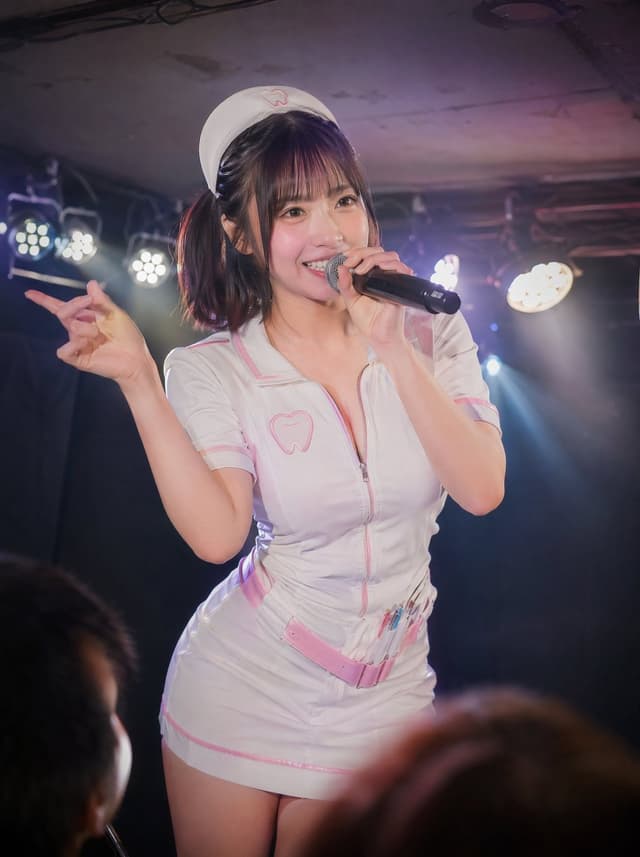
Social Media Post - Underground Idol Dental Nurse Performance
Social Media Post - GPT Image 2 Surreal Fashion & Fantasy Prompts

Social Media Post - GPT Image 2 Surreal Fashion & Fantasy Prompts

TaarukGPT Image 2
Create a surreal, cinematic fashion photograph of a stylish blonde woman wearing a pastel-pink floral mini dress, pink knee-high boots, and futuristic protective glasses, confidently walking while holding an oversized pink sci-fi cannon decorated with roses. The cannon fires a dramatic burst of flames and smoke into the distance. Set the scene in a dreamy pink suburban neighborhood with a vintage pink car, a pastel-pink house, dusty streets, and dramatic smoky skies. Use soft pastel colors, retro-futuristic aesthetics, realistic textures, cinematic lighting, a wide-angle composition, and high-end editorial photography. Dreamlike yet photorealistic, ultra-detailed, 8K quality.

Create a whimsical, photorealistic fantasy scene of an elegant young woman wearing a pastel rainbow layered tulle gown, a cream corset, and a tiny vintage top hat, riding a gigantic fluffy white rabbit flying gracefully above rolling countryside hills. The rabbit has long upright ears, soft detailed fur, and a delicate leather harness. Below them are golden fields, distant forests, and misty mountains beneath a dreamy blue sky filled with soft clouds. Capture the magical movement of the rabbit in midair, flowing fabric, warm golden-hour sunlight, cinematic depth of field, realistic textures, fairytale atmosphere, and luxurious fashion editorial styling. Ultra-detailed, enchanting, 8K photorealism.
Social Media Post - GPT Image Typography Travel Poster Prompt

Social Media Post - GPT Image Typography Travel Poster Prompt

蛋黄堡GPT Image 2
GPT-Image x {Element A Word} x {Element B Landscape} x {Element C Paper Color} x Typographic Framing

==================== Elements (Generate one at a time) ====================
[Element A | Word] {WORD} (4 uppercase letters, glyphs with openings or circles, bold and legible; Subtitle {SUB})
[Element B | Landscape] {SCENE}
[Element C | Paper Color & Palette] {PALETTE}
[Fixed Items] Project Name "Altitude Log"; Direction: Travel Typography Poster; Aspect Ratio: 9:16; Mood: Cinematic / Serene / Adventurous / Editorial Design; Do not change the core concept, layout requirements, ending, and prohibitions from the original text.

==================== Final Prompt (Fill elements into braces) ====================
Create a high-end typographic framing poster where oversized typography becomes the primary visual structure.

Theme: Travel
Direction: Travel Typography Poster
Project Name: Altitude Log
Main Title: {WORD}
Subtitle: {SUB}
Subject: Landscape (see direction notes below)
Mood: Cinematic / Serene / Adventurous / Editorial Design
Color Palette: {PALETTE}
Aspect Ratio: 9:16

The poster should present the texture of a high-end design poster, movie poster, event visual, travel promotion, or cultural project poster.

Core Concept: Let the typography frame the image, rather than simply overlaying it.
Use huge cropped letters, vertical type frames, windows shaped like text, strong negative space, real photography, paper grain, clear information hierarchy, and explicit visual relationships between the subject and the typography.

Selected Direction: Travel Typography Poster
Use a giant word as an image container. Fill the interior of the letters with landscape photography and include a small traveler figure to convey scale. The filled landscape is: {SCENE}. The landscape photo extends continuously as a whole, naturally cut off when passing through gaps between letters; the small traveler is located within one of the letters, clearly visible. The letters of the word "{WORD}" must be bold, with clear and legible glyphs. Letters can be slightly cropped by the canvas edges, and the background outside the word is paper-colored.

Keep the composition clean, structured, with editorial design sensibility and clear visual logic.

Avoid messy collages, excessive elements, random stickers, weak typographic expression, flat text overlays, generic template designs, text rendering errors, distorted figures, fake landscapes, cartoon styles, and real copyrighted brand logos.

Generate only one complete final poster.

==================== Element Values (Fill different elements into the same template, generate one each) ====================
PEAK (Above the cloud line) x Morning snow mountain ridge: Jagged snow peaks above, a thin trail of traveler footprints along the ridge, a small traveler in a red jacket standing on the ridge, occupying only a tiny portion of the frame to show scale, real photographic texture, morning light hitting the snow surface from the side x Warm paper color (off-white paper base) + Cold blue of snow mountains and warm gold of morning light
MIST (Where the forest breathes) x Original coniferous forest in morning mist: Tall spruces showing layers of depth in the fog, a soft beam of light piercing through the canopy, a small hiker's back view on a forest path, occupying only a tiny portion of the frame, real photographic texture x Dark green (dark green paper base) + Fog white and moss green
TIDE (Between sea and sky) x Coastal reefs at dusk: Slow long-exposure waves pulling out white mist between black reefs, orange-pink horizon in the distance, a small traveler standing on the reef, occupying only a tiny portion of the frame, real photographic texture x Deep navy blue (deep blue paper base) + Cyan-green of the sea and white of wave spray
DUNE (Slow light on sand) x Desert dunes at sunrise: Continuous dune ridges forming clear light/shadow boundaries, delicate wind patterns on the sand surface, a string of footprints extending along the ridge, a small traveler walking on the ridge, occupying only a tiny portion of the frame, real photographic texture x Warm paper color (sand-colored paper base) + Ochre red of dunes and dark brown of shadows
Social Media Post - Marble Statue of Kneeling Woman with Rose Crown
Social Media Post - Verdigris Bronze Statue of Seated Woman
Social Media Post - Watercolor Editorial Illustration from Photo

Social Media Post - Watercolor Editorial Illustration from Photo

SairahGPT Image 2
Transform the uploaded photo into a beautiful minimalist editorial illustration with a soft, hand-painted watercolor and gouache aesthetic.

ART STYLE: Vintage travel-poster illustration, delicate watercolor washes, subtle gouache brushstrokes, visible handmade paper grain, soft pigment textures, imperfect painted edges, muted pastel colors, and a dreamy romantic atmosphere.

COMPOSITION: Vertical 2:3 poster. Place the main subjects in the lower third of the frame, leaving approximately 65–70% of the upper area as clean, warm ivory paper with subtle natural texture. Keep the composition airy, peaceful, understated, and balanced.

SUBJECT: Preserve the recognizable identity, hairstyle, clothing, pose, and emotional connection of the people in the reference photo. Simplify their features into elegant hand-painted shapes with minimal facial details and natural proportions. Maintain a candid, intimate, storytelling feel.

BACKGROUND: Illustrate the surroundings using loose, impressionistic brushstrokes and simplified silhouettes. Famous landmarks, landscapes, trees, buildings, or cityscapes should remain recognizable but understated. Use soft navy blue, dusty blue, warm beige, muted blush pink, and gentle golden yellow accents.

LIGHTING & TEXTURE: Soft natural daylight, delicate shadows, subtle color bleeding, layered watercolor washes, matte finish, and authentic textured paper. Keep details concentrated around the subjects and lower background.

OVERALL MOOD: Romantic, nostalgic, peaceful, poetic, timeless, and intimate—like a page from a beautifully illustrated travel journal.

STRICT RULES: Minimalist composition, generous negative space, no photorealism, no 3D rendering, no harsh outlines, no oversaturated colors, no unnecessary details, no borders, no typography, and no watermark. The final image must look genuinely hand-painted on textured paper.

Find your next direction

ASTORIE CANVAS

Take the idea further.

Bring your prompts, references and results together in one creative space.

Open your canvas ↗