Game Asset - 3D Stylized Caricature Portrait
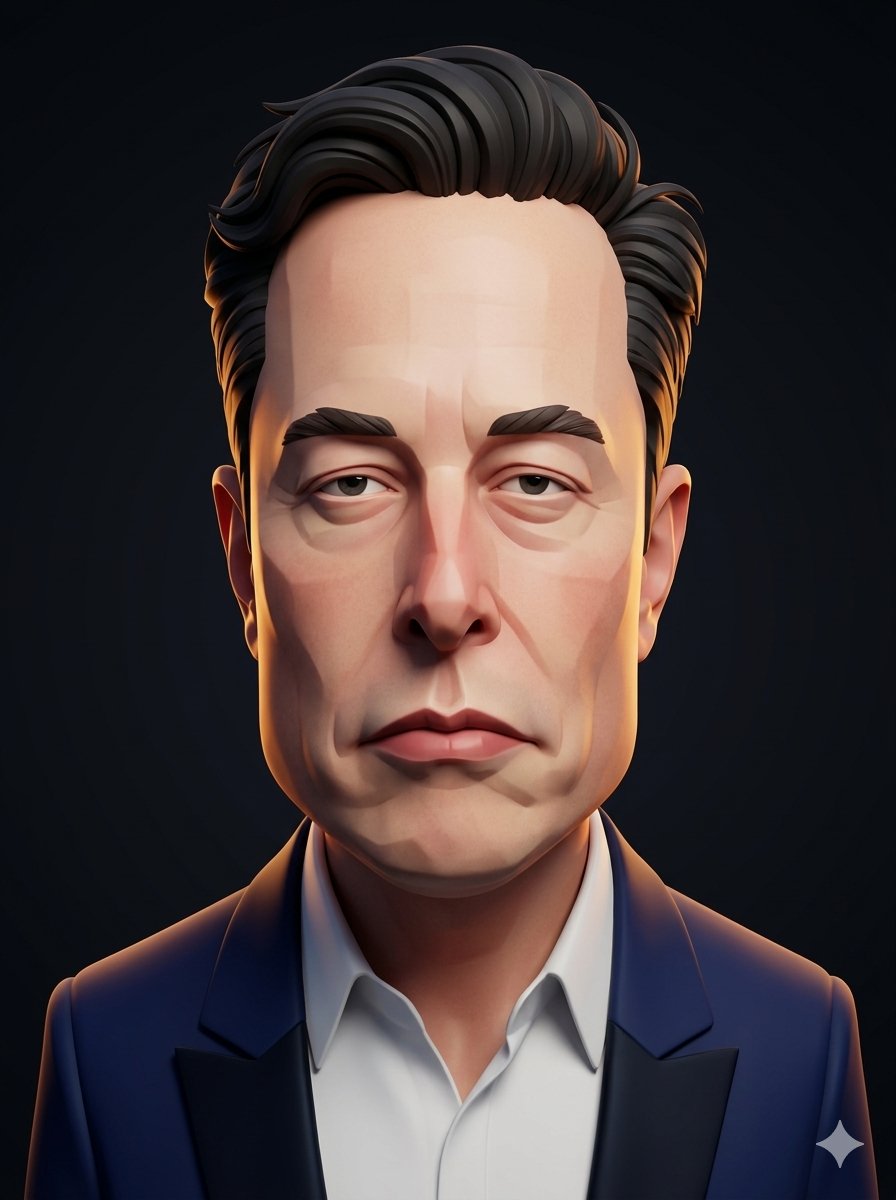
A complex prompt for turning a reference subject into a stylized 3D CGI caricature with specific anatomical exaggerations and professional studio rendering.
Convert the subject in this image into a stylized 3D caricature portrait with {argument name="head shape" default="an elongated rectangular head"}, {argument name="facial feature" default="oversized nose"}, and pristine studio lighting. Use a sculpted, high-end 3D CGI character treatment with strong identity preservation, while amplifying the facial geometry into a bold editorial caricature without changing the subject’s existing hair.

CHARACTER:
Build the subject as a tall, narrow caricature bust with a stretched rectangular skull, compressed cheek planes, and a dominant forward-projecting nose that anchors the face. Preserve the subject’s recognizable hair volume by translating it into clean, sculpted strands. Keep the clothing simplified, modern, and rendered as a refined secondary form that supports the face.

FACE & ANATOMY:
Use a severe angular facial construction with planar transitions, heavy brows, deep-set eyes, and a long tapered lower face. Keep the expression serious and slightly weary, with a rigid jaw rhythm and exaggerated vertical proportions. The body should remain secondary and understated, with the head as the primary silhouette.

ENVIRONMENT:
Change the background into a {argument name="background style" default="minimal 'dark gradient' studio"} that isolates the portrait and enhances its sculptural clarity. Keep the scene clean, controlled, and distraction-free, with no props or narrative clutter. Add subtle depth falloff so the character reads as a premium character-study render.

RENDER PIPELINE:
Use stylized 3D CGI with a polished sculpt-first workflow, crisp edge definition, and clean subdivision surfaces. Apply controlled toon-leaning shading with smooth form transitions, disciplined specular response, and no photoreal skin microdetail. Finish with a premium character-render presentation, sharp silhouette readability, and zero photographic camera artifacts.

COLOR & LIGHT:
Use a restrained palette of 'deep charcoal', 'cool blue' shadows, 'warm peach' skin tones, and 'soft amber' rim accents. Light the face with perfect studio key lighting, gentle fill control, and a balanced rim that carves the silhouette cleanly. Preserve high contrast in the facial planes while keeping the exposure elegant and even.

MATERIALS & TEXTURES:
Render skin as clean, stylized character material with smooth surface behavior and subtle form shading, not realistic pores. Hair should read as sculpted clumped strands with controlled gloss, and the beard (if presented) should appear as carved fiber-like grooves with crisp separation. Clothing and background surfaces must stay matte and simplified, supporting the caricature focus.

DETAILS:
Emphasize the rectangular head geometry through faceted forehead planes, sharp temple breaks, and a strong nose bridge structure. Add refined studio-finish highlights along the cheek planes, brow ridge, and hair contours to heighten the premium 3D look. Keep all detail language native to stylized character sculpture, with no comic halftone, no painterly brushwork, and no l