Profile / Avatar - X/Twitter UI Interaction Scene

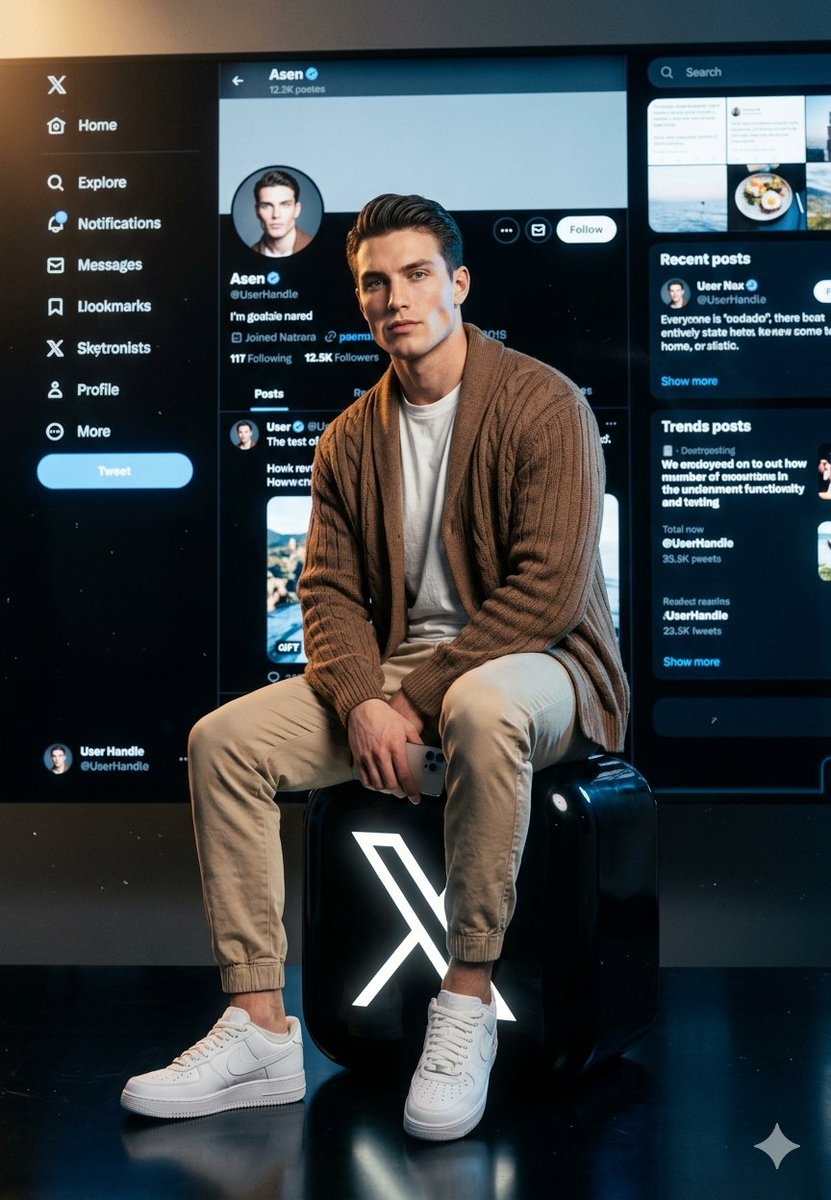
A complex Nano Banana Pro prompt for a character sitting on a 3D X logo with a massive UI screen background.

Prompt

1,973 charactersOpen Astorie studio ↗
A young American white man with extremely sharp, chiseled jawline, high cheekbones, piercing eyes, clean skin — no tattoos anywhere. Dark neatly styled hair. Wearing a {argument name="top" default="brown oversized cardigan over a white t-shirt"}, beige jogger pants and white Nike Air Force 1 sneakers.
Pose & Camera angle: Full body shot, character sitting centered and CLOSE to the camera — filling majority of the frame. Camera at slight low angle looking up, character dominates the foreground. Both legs relaxed, one knee slightly raised, holding a smartphone in one hand resting on his knee. Confident, calm expression looking slightly off-camera.
Logo: He is sitting on a large {argument name="logo description" default="oversized glossy 3D X (Twitter) logo"} — big black rounded square with glowing white X symbol — logo is wide, taking up the lower 30% of frame. Character sits directly on top of it.
Background screen: The X/Twitter dark mode UI screen behind the character is NOW very close — almost like a giant wall monitor right behind him, only 1-2 feet away. The screen is MASSIVE, filling the entire background from edge to edge and top to bottom. It is so close and large that the UI details are clearly visible and sharp — you can clearly read the profile handle [{argument name="handle" default="OzairAI"}] , see the profile picture (matching the character), follower counts, tweet feed posts, sidebar navigation. The screen feels like it's RIGHT THERE behind him, not floating far away. High resolution UI details, crisp and legible text inside the screen.
Lighting: Cinematic dramatic lighting — strong key light from upper left on face and chest, soft cool fill from right, subtle blue/white glow from the screen behind reflecting onto the character's back and shoulders. Deep dark charcoal background edges with faint particles.
Ultra photorealistic, 8K, cinematic color grading, no text overlays except inside the X UI screen. Vertical 9:13 format.

From sourceView source ↗

More to explore

Social Media Post - Red Velvet Leotard Portrait Comparison
Profile / Avatar - Purple Sweater Portrait Comparison
Profile / Avatar - Nano Banana Pro Lake Portrait Comparison
Profile / Avatar - Cute Star Night Light Portrait Comparison
Social Media Post - Nano Banana Pro Silver Metallic Gown Portrait
Profile / Avatar - Early 2000s Internet Cafe Webcam Couple

Profile / Avatar - Early 2000s Internet Cafe Webcam Couple

Fav PromptNano Banana Pro
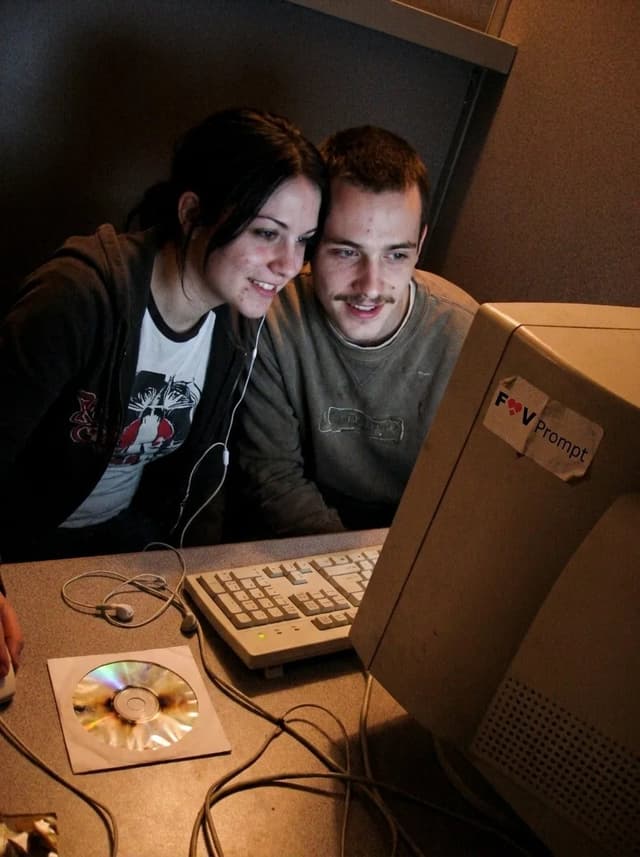
A candid couple photo of the Woman's Look and Man's Look in the Setting, engaged in the Activity. Render it as the Camera Type, with soft focus, smeared facial detail, color noise, dim uneven indoor light and low-resolution compression. Use awkward webcam framing from a desk-level angle, with a slight tilt and casually cropped shoulders or arms. Include the Era Props naturally in the booth. The couple should look genuinely close and relaxed, with real skin, messy everyday hair and no heavy retouching. Use Face Reference for the matching faces when applicable. Make it feel like an unedited early-2000s personal photo from an old Facebook album or MSN chat, not a modern image with a retro filter. No date stamp, text, watermark, modern electronics or current fashion. Output in the Format.

Use these details:
Woman's Look: "{argument name="woman's look" default="Young woman in her early 20s with straight black hair, a casual graphic T-shirt and a loose zip hoodie"}"
Man's Look: "{argument name="man's look" default="Young man in his early 20s with a thin mustache, tousled hair and a worn casual sweatshirt"}"
Setting: "{argument name="setting" default="A cramped internet cafe booth with a laminate desk, worn carpet, beige walls and bulky CRT monitors"}"
Activity: "{argument name="activity" default="Leaning close together and looking into the webcam during an online chat"}"
Camera Type: "{argument name="camera type" default="Low-resolution built-in webcam capture from a chunky desktop computer"}"
Era Props: [{argument name="era props" default="Wired earphones, A burned CD in a paper sleeve, A chunky desktop keyboard"}]
Face Reference: "{argument name="face reference" default="Use attached photos for the matching person's face when provided; if none are attached, invent both faces"}"
Format: "{argument name="format" default="4:3 landscape"}"

Find your next direction

ASTORIE CANVAS

Take the idea further.

Bring your prompts, references and results together in one creative space.

Open your canvas ↗