


Prompts for educational graphics
Explore a travel-poster example that brings architectural details into a graphic layout. Use its prompt as a starting point for deciding what your own visual should explain.
Explore prompts
612 prompts
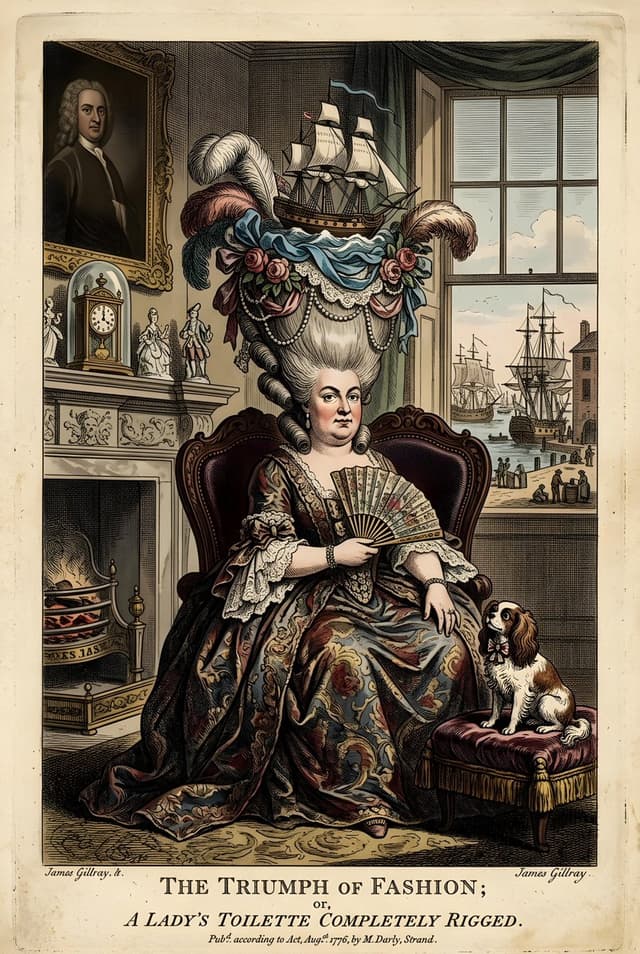
Infographic / Edu Visual - Vintage British Caricature Satire
Heather GreenNano Banana Pro
A vintage British caricature depicts a woman with an elaborate hairstyle adorned with a sailing ship, flowers, and feathers. She is seated in an ornate chair, wearing a richly decorated dress and holding a fan. The background shows a lavish interior with a fireplace, clock, and a window overlooking a harbor scene. A small dog sits on a cushion to her right. The overall style is that of a 18th-century satirical print.
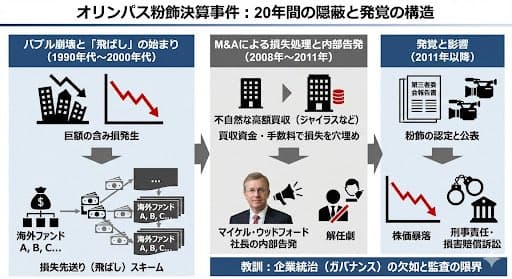
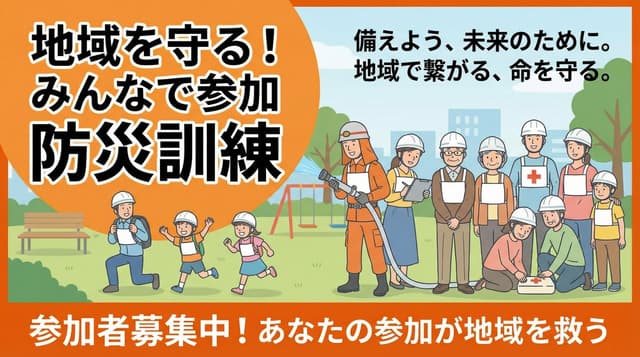


Infographic / Edu Visual - Historical Ingredient Journey Diorama
GadgetifyNano Banana Pro
<instructions>Input Variable: {argument name="ingredient" default="INSERT INGREDIENT"}

 Logic 1. Analyze the Era: Before generating, determine the Golden Age of trade for the [Input]. (Example: Beef = 1880s Industrial Rail; Spices = 1500s Silk Road; Bananas = 1920s Steamships).

2. The Container: The chest material must match the Era. If Industrial: Rusted steel, riveted iron, or branded shipping crate wood. If Ancient: Carved sandalwood, brass-bound oak, or woven reed. If Modern: Polymer, aluminum, or sterile medical glass.

3. The Map (Inner Lid): Style must match the Era. (Blueprints for industrial, parchment for ancient, nautical charts for maritime). Route must be accurate. (Rail lines for beef, trade winds for fruit, caravan trails for spices).

4. The Diorama (Base): Transport: Use only the historically correct vehicle. (Steam train, Cargo ship, Camel, Truck, Ox-cart). Figures: Dress figurines in period-correct attire. (Cowboys/Butchers, Sailors/Dockworkers, Nomads/Merchants). Setting: The background of the box interior must match the source origin. (Stockyards, Tropical Port, Desert Oasis).

 5. The Specimen (Center): The ingredient is the "Jewel." Encased in a preservation method distinct to the item. (Block of unmelting ice for meat, vacuum tube for delicate organics, crystal phial for powders, wax seal for liquids). Visual Output Rules: Macro lens, shallow depth of field. Volumetric lighting appropriate to the setting (e.g. sunlight, Lantern). No text overlays. Aspect Ratio 1:1.</instructions>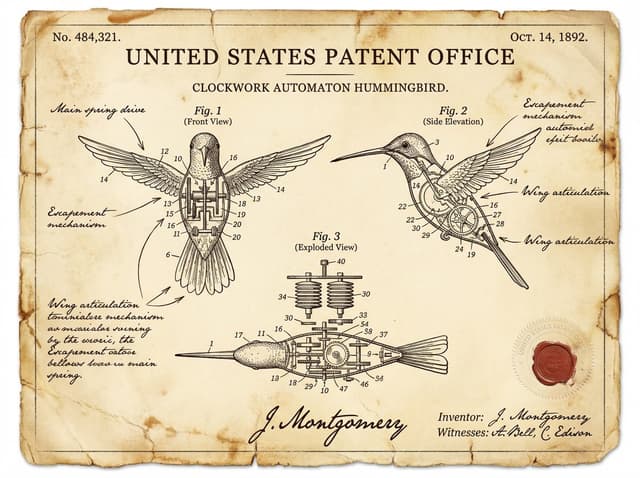
Vintage Patent Document for an Invention
Alexandra AislingNano Banana Pro
A vintage patent document for {argument name="invention" default="INVENTION"}, styled after late 1800s United States Patent Office filings. The page features precise technical drawings with numbered callouts (Fig. 1, Fig. 2, Fig. 3) showing front, side, and exploded views. Handwritten annotations in fountain-pen ink describe mechanisms. The paper is aged ivory with foxing stains and soft fold creases. An official embossed seal and red wax stamp appear in the corner. A hand-signed inventor's name and date appear at the bottom. The entire image feels like a recovered archival document—authoritative, historic, and slightly mysterious.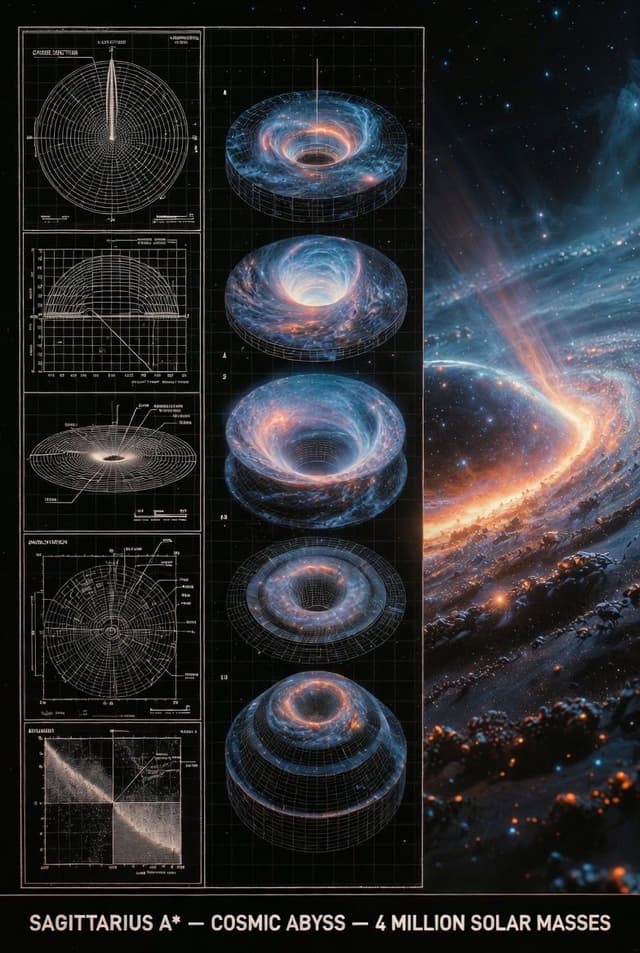
Infographic / Edu Visual - Supermassive Black Hole Museum Presentation Board
七表哥Nano Banana Pro
An expert astronomer's museum-grade presentation board for a supermassive black hole — event horizon, glowing accretion disk, relativistic jets. Left: black-and-white 2D scientific diagrams (cross-section, orbital paths, spectral analysis) with precise annotations, scale bars, and technical labels. Center: exploded axonometric or layered diagram revealing singularity core, plasma torus, and spacetime curvature layers. Right: photorealistic 3D render of the black hole in the galactic center with swirling stars and distorted light, vibrant orange and blue plasma glow, stellar debris trails. Visual style transitions from archival blueprint tones (graphite schematics, orbital precision) to cosmic atmospheric palette (deep blacks, fiery oranges, electric blues). Clean grid layout with subtle borders, ultra-detailed cinematic realism, NASA or Hubble exhibition quality, high resolution. Title block at bottom: 'SAGITTARIUS A* — COSMIC ABYSS — 4 MILLION SOLAR MASSES'.
Infographic / Edu Visual - Handwritten Memo Recipe Illustration
AI Guide-Note - 実務で使えるAI活用メディアNano Banana Pro
[Input Data]
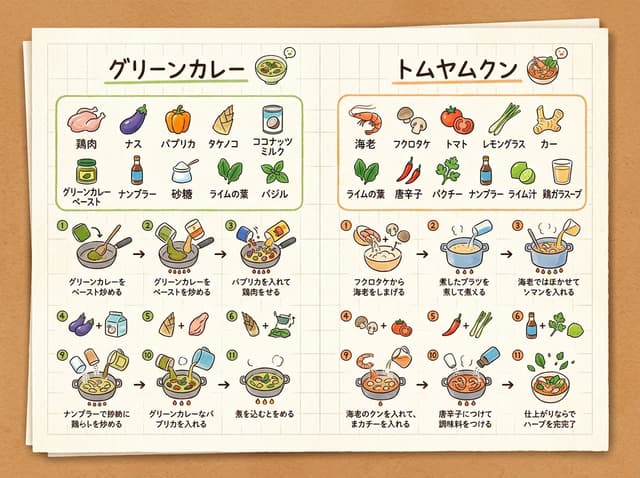
- Dish Name (Left Page): {argument name="dish name left" default="Green Curry"}
- Ingredients List (Left Page): {ingredientsLeft}
- Cooking Steps (Left Page): ①{stepLeft1} → ②{stepLeft2} → ③{stepLeft3}
- Dish Name (Right Page): {argument name="dish name right" default="Tom Yum Goong"}
- Ingredients List (Right Page): {ingredientsRight}
- Cooking Steps (Right Page): ①{stepRight1} → ②{stepRight2} → ③{stepRight3}
- Color Theme: {argument name="color theme" default="organic natural colors"}

[Structure and Layout Specifications]
- Style: A flat 2D handwritten-style infographic recipe illustration drawn on a piece of rustic off-white notepad paper (grid paper) with thin grid lines and warm paper texture.
- Background and Composition Constraints: Do not draw physical books, three-dimensional notebook outlines, page thickness, shadows, or realistic photo background elements like wooden tables (Absolutely NO wooden table, NO realistic book mockup, NO book thickness, NO notebook pages, NO realistic photo background. It must be a flat 2D vector layout directly on the textured grid notepad paper canvas).
- Left Side Layout:
  - Large handwritten Japanese title "{dishLeft}" at the top.
  - Below that, the ingredient list "{ingredientsLeft}" drawn with neat vertical bullet points in handwritten Japanese and simple food illustrations.
  - The lower half features cooking steps "①{stepLeft1} → ②{stepLeft2} → ③{stepLeft3}" arranged in a horizontal or vertical arrow flow. Include cute hand-drawn illustrations that match each step's content (e.g., cutting, stir-frying, simmering).
  - A delicious-looking illustration of the finished "{dishLeft}" dish in the bottom left.
- Right Side Layout:
  - Large handwritten Japanese title "{dishRight}" at the top.
  - Below that, the ingredient list "{ingredientsRight}" drawn in handwritten Japanese with simple food illustrations.
  - The lower half features cooking steps "①{stepRight1} → ②{stepRight2} → ③{stepRight3}" arranged in a horizontal or vertical arrow flow. Include cute hand-drawn illustrations matching each step's content.
  - A delicious-looking illustration of the finished "{dishRight}" dish in the bottom right.
- Colors: A gentle, warm organic tone based on "{colorTheme}".

[Quality and Exclusion Constraints (Mandatory)]
- Absolutely no date-related elements like dates (e.g., "8/7"), days of the week (e.g., "SUN"), calendar frames, or date stamps (NO date stamp, NO calendar, NO day of the week, NO timeline stamp).
- Fonts should be friendly handwritten-style Japanese (Gothic or rounded) accurately drawing the input Japanese without distortion or spelling errors.

- Aspect Ratio: --ar 4:3
Infographic / Edu Visual - Handwritten Style 3-Step Process Slide
AI Guide-Note - 実務で使えるAI活用メディアNano Banana Pro
[Input Data]
- Overall Title: {argument name="main title" default="3-Step Flowchart for Night Shift Introduction"}
- Step 1: Title "{argument name="step 1 title" default="Day Shift Mastery"}" / Period "{step1Period}" / Description "{step1Desc}"
- Step 2: Title "{step2Title}" / Period "{step2Period}" / Description "{step2Desc}"
- Step 3: Title "{step3Title}" / Period "{step3Period}" / Description "{step3Desc}"
- Color Theme: {argument name="color theme" default="green"}

[Structure and Layout Specifications]
- Style: A clean and friendly 3-step flowchart illustration suitable for Japanese business slides, educational manuals, or internal documents. 16:9 landscape slide configuration.
- Background: Clean off-white or solid white background.
- Top Title:
  - Place "Figure 3" or a step badge in the upper left, and to its right, draw a large Japanese main title "{mainTitle}" in a bold, easy-to-read Gothic font. Place a small, clean abstract logo mark at the right edge.
- Step Card Arrangement:
  - Three beautiful rectangular cards arranged side-by-side. Placed in order from left to right, connected by thick arrows. Each card border is color-coded neatly according to the color theme ({colorTheme}).
- Card 1 (Left) Interior:
  - Draw a circular badge "1" and the Japanese title "{step1Title}" prominently. Below that, a capsule label saying "{step1Period}".
  - In the center, place an illustration of a Japanese woman with a gentle hand-drawn touch taking notes, and a window showing the sun.
  - At the bottom, place the Japanese description "{step1Desc}".
- Card 2 (Center) Interior:
  - Draw a circular badge "2" and the Japanese title "{step2Title}" prominently. Below that, a capsule label saying "{step2Period}".
  - In the center, place an illustration of two Japanese women with a flashlight, night sky, and buildings.
  - At the bottom, place the Japanese description "{step2Desc}".
- Card 3 (Right) Interior:
  - Draw a circular badge "3" and the Japanese title "{step3Title}" prominently. Below that, a capsule label saying "{step3Period}".
  - In the center, place an illustration of the night sky and crescent moon, and a Japanese woman smiling with a victory pose.
  - At the bottom, place the Japanese description "{step3Desc}".

[Quality and Font Specifications]
- Simple, clean 2D illustration, flat design, crisp clear line art.
- All text must be accurately drawn in readable Japanese fonts (Gothic) without spelling errors.
- Exclude all 3D effects, shadows, laptop mockup backgrounds, or camera tilt; display the flat diagram itself across the entire screen.

- Aspect Ratio: --ar 16:9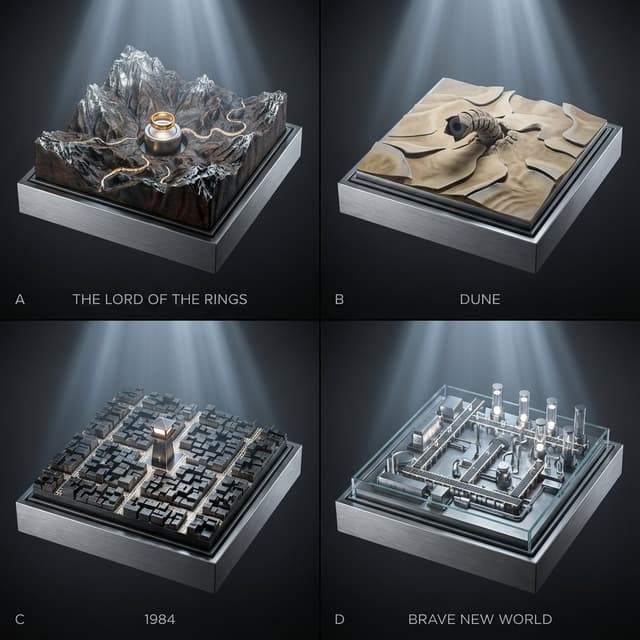
Infographic / Edu Visual - Topographic Relief Diorama of Classic Books
GadgetifyNano Banana Pro
2x2 grid; each panel is a classic book turned into a topographic relief diorama where landscapes/cities are driven by hidden gears (plates rise, rivers “flow” via moving bands, lights pulse subtly). Panel A: {argument name="Panel A Book" default="The Lord of the Rings"} — mountain relief map with a slow-rotating ring pedestal and tiny marching-path bands. Panel B: {argument name="Panel B Book" default="Dune"} — dune relief with shifting sand-ripple plates and a worm above the surface. Panel C: 1984 — city-block relief where streets illuminate in scanning patterns from a central watchtower. Panel D: Brave New World — factory-campus relief where conveyor paths light up and vial towers rise/fall on cams. Style: Premium cinematic sci-fi museum look, cool silver-blue lighting with gentle volumetric beams, seamless background in graphite-to-black gradient, crisp micro-detail, shallow depth of field, 45mm perspective, materials echo the book bindings (cloth, leather, foil stamping).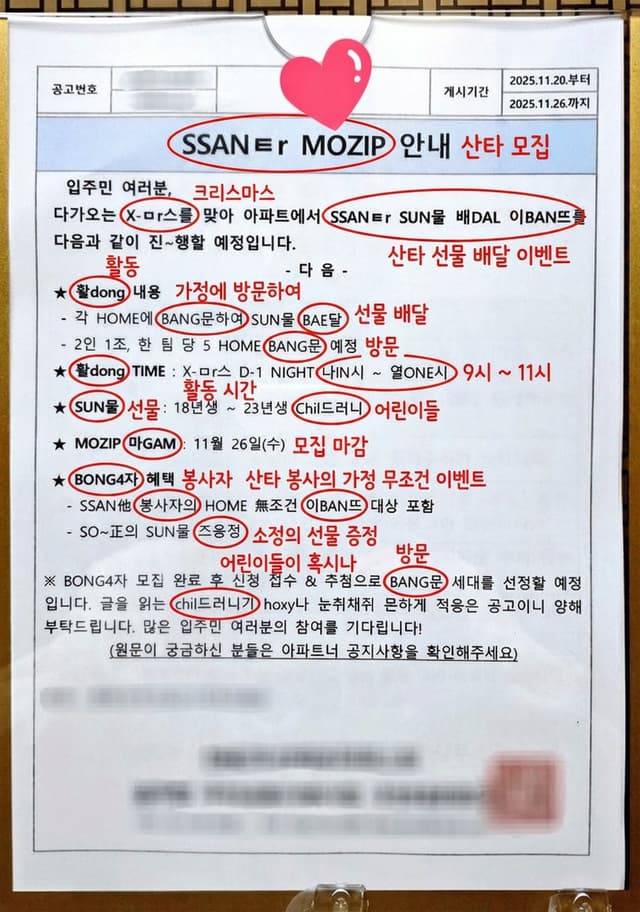
Annotated decoding of a cryptic Santa notice
YouMindNano Banana Pro
This notice can be understood by Koreans. Can you possibly interpret this? And if it is interpretable, could you annotate directly on the original image and write the interpreted keywords or short phrases? For the parts of the cryptic expressions that are key points, circle them and add your annotation next to them.
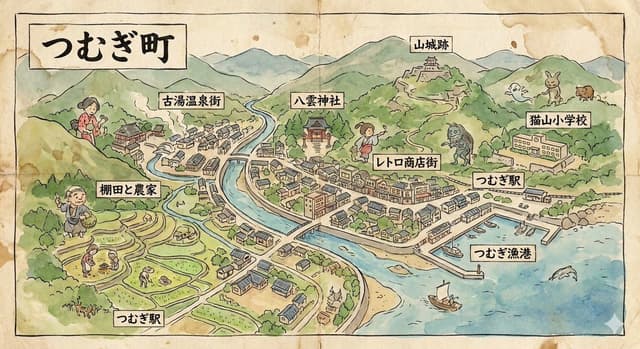
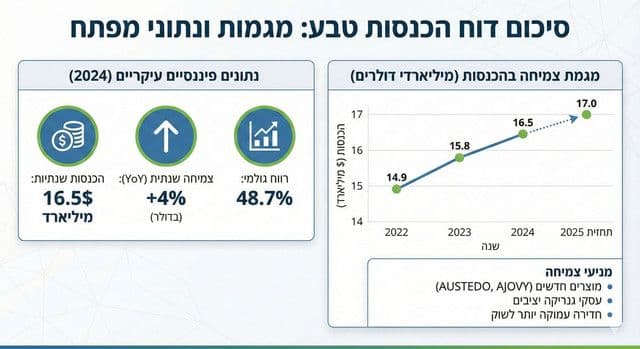
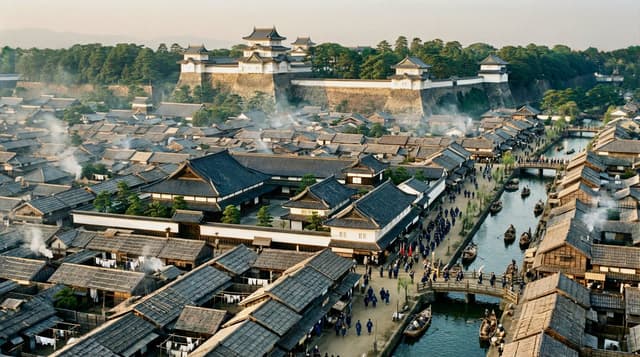
YouTube Thumbnail - Universal 3D Anatomy Dissection Prompt
Rion | Attention & LeverageNano Banana Pro
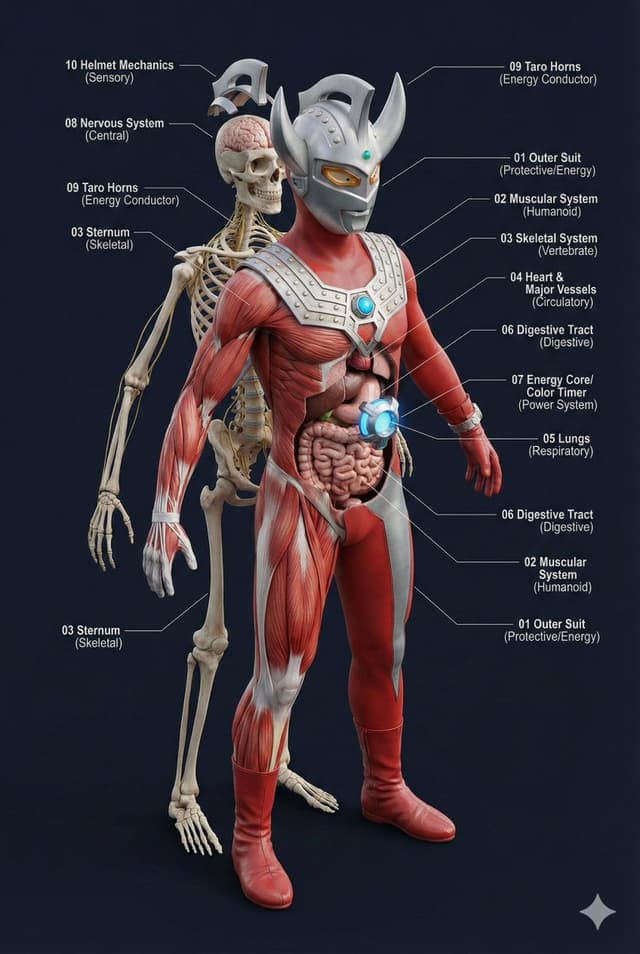
A single prompt can 'dissect' the body structure of any creature?!

This universal prompt can generate:
✨ Ultra-detailed 3D anatomical diagrams
✨ Automatically adapted skeletal/visceral systems
✨ Numbered professional medical annotations

Whether it's the internal structure of Pikachu or the core of Godzilla, everything can be seen through! 👀
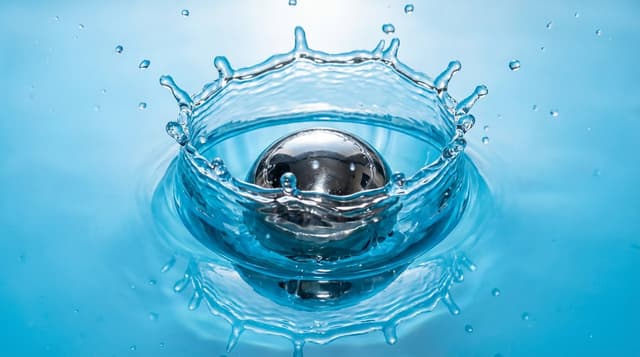

Infographic / Edu Visual - Surreal Abstract Concept Contained in a Display Case
ttmouse - 豆爸Nano Banana Pro
A hyper-detailed, surreal but believable studio scene where an abstract concept is physically contained and made visible.

Main structure:
A transparent, museum-grade display container (thick glass or acrylic), placed alone in a neutral studio space. Inside the container is a frozen moment in time.

Core subject:
A human-scale subject (person or symbolic object) partially transformed into another material that contradicts its original nature — for example: {argument name="transformation example" default="skin turning into stone, soft fabric crystallizing, organic elements embedded in mechanical structures"}. The transformation is incomplete, showing a clear boundary between “before” and “after”.

Conceptual twist:
The interior of the container is treated like a scientific or archival exhibit:
– clearly layered composition
– visible cross-sections or cutaway logic
– subtle measurement marks, labels, or annotation-style details
– the feeling that this object is being studied, preserved, or explained

Spatial logic:
Gravity behaves normally, but time does not — motion is implied yet completely frozen.
Small secondary elements ({argument name="secondary elements" default="dust, droplets, fragments, threads, petals, gears, etc."}) are suspended mid-air, reinforcing the sense of paused time.

Lighting:
Soft, directional studio lighting with strong material definition.
Light emphasizes texture differences (smooth vs rough, organic vs artificial).
No dramatic colors — restrained, high-end, museum-like color palette.

Camera & composition:
Straight-on or slightly elevated perspective.
Centered composition, calm framing.
Depth comes from internal layers, not camera tricks.
Photorealistic, macro-level detail, cinematic clarity.

Mood:
Quiet, unsettling, contemplative.
The image should feel intelligent rather than emotional, poetic rather than decorative.

Style constraints:
No fantasy clichés.
No obvious sci-fi UI.
No decorative surrealism.
Everything should feel physically possible, even if conceptually strange.

Ultra high resolution, extremely sharp details, realistic materials, controlled studio background, premium art photography aesthetic.
Infographic / Edu Visual - Tarot Celtic Cross Spread Reading Generation Prompt
ねこ九葉VRCNano Banana Pro
# Generate Results for the Celtic Cross Spread
## Fortune-Telling Parameters
- Card indicating the essence of the problem: {argument name="card essence of problem" default="(Fill in 1 card from 78 cards)"}
- Question to be asked: {argument name="question to ask" default="(Describe in one sentence)"}
## Image Requirements
### Canvas Settings
- 2048*2048px 2K image
- Cards and text elements must be at least 20px away from the canvas edges
- The card layer should be placed horizontally centered and in the upper 2/3 vertically
- The text layer (explanation section) should be placed in the lower 1/3 vertically
### Background Layer
- Dark purple background with dark gold stars, clouds, moon, sun, and lines of circles and triangles added to create a mystical atmosphere
### Card Layer
- Use all 78 standard Tarot cards. Breakdown: 22 Major Arcana (from "The Fool" to "The World") and 56 Minor Arcana (4 suits: Wands, Cups, Swords, Pentacles).
- Each Minor Arcana suit includes number cards 1 through 10 and 4 Court cards.
- The edges of the cards are framed with golden metallic vines, and the inside depicts the corresponding image and the name in Japanese. The size of each card is unified and arranged so as not to be cramped. To ensure the text and images of the overlapped cards are visible, the short side (bottom and top edges) of the card should be 1/2 the length of the long side.
- Each extracted card must appear only once. If duplication occurs during random extraction, redraw a different card.
- Exclude the card specified in "Fortune-Telling Parameters - Card indicating the essence of the problem," and extract the spread from the remaining cards.
- Extract 1 card randomly, placed vertically in the center.
- Extract 1 card randomly, placed horizontally in the center (with the top of the card facing left), overlapping the vertical center card to form a cross.
- Extract 1 card randomly for each position (Up, Down, Left, Right) surrounding the central cross.
- Extract 4 cards randomly in a vertical column on the right side.
### Meaning of the Spread
- Center, vertical: Current situation and personality
- Center, horizontal: Obstacles and contradictions
- Up: Hopes and achievements
- Down: Potential and influence
- Left: Past
- Right: Near future
- Right column, 1st card: Wishes and concerns
- Right column, 2nd card: Environment and family
- Right column, 3rd card: Result of the reading
- Right column, 4th card: Final outcome
### Text Layer
- Use Mincho font, dark gold color, with a 2px black border (#000).
- Card Name: Display the name in Japanese at the bottom center of each generated card image. For horizontally placed cards, the name should be displayed at the bottom of the card itself (not the bottom relative to the horizontal placement).
- Explanation Section: Include the following content in the explanation section.
   - On the left side of the explanation section, list all extracted cards in the format: "[Meaning of the Spread] Card Name".
   - On the right side of the explanation section, describe the possible interpretation by connecting the meaning of each card in the spread, based on the "Fortune-Telling Parameters - Question to be asked".
   - Decorate the explanation section with a golden vine pattern border.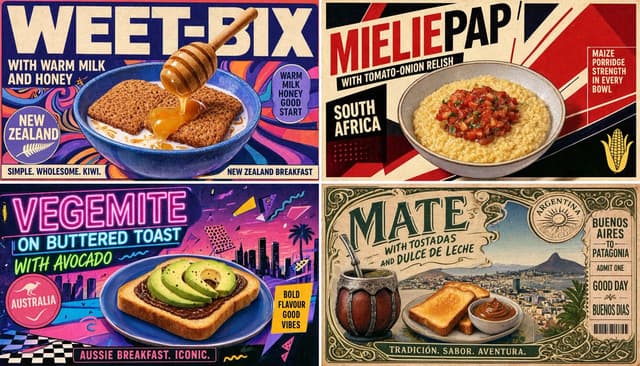
Infographic / Edu Visual - Regional Cultural Atlas Poster
GadgetifyNano Banana Pro
2x2 grid, 16:9, do this for 4 under rated breakfasts of Southern hemisphere: INPUT = [{argument name="category" default="TOPIC_CATEGORY"} / {argument name="region" default="REGION_SET"} / {argument name="criteria" default="SELECTION_CRITERIA"} / {argument name="mood" default="MOOD"}]
MODE = no_hardcoding / inference_only

Run REGIONAL_CULTURAL_ATLAS_EXTRACTION:

CATEGORY_DNA := infer what type of thing is being compared, how it is used, why it matters, and what makes it visually recognizable

REGION_DNA[each] := infer local environment, visual culture, palette, typography attitude, textures, symbols, landscapes, tools, rituals, and social context

ITEM_SELECTION[each] := infer one overlooked or representative item that fits TOPIC_CATEGORY + REGION + SELECTION_CRITERIA

HERO_VISUAL[each] := infer the best visual treatment:
plated food, product close-up, ritual scene, tool layout, garment portrait, object still life, landscape-backed artifact, map-backed diagram, or symbolic vignette

COPY_SYSTEM[each] := generate:
- large item title
- short emotional tagline
- origin/location label
- 2–4 tiny descriptors
- stamp or badge phrase
- small contextual note

GRAPHIC_SYSTEM := infer torn paper, printed grid, muted color blocks, topographic lines, stamps, borders, halftone, atlas marks, and editorial spacing

Render:
A premium regional comparison poster where each panel feels locally specific but belongs to one unified cultural theme.

Forbidden:
hard-coded Southern Hemisphere, fixed breakfasts, fixed foods, fixed countries, fixed beige/red/green palette, fake local facts, random travel-poster clichés.

Infographic / Edu Visual - Vintage Travel Journal Collage
Aniya IntelligenceNano Banana Pro
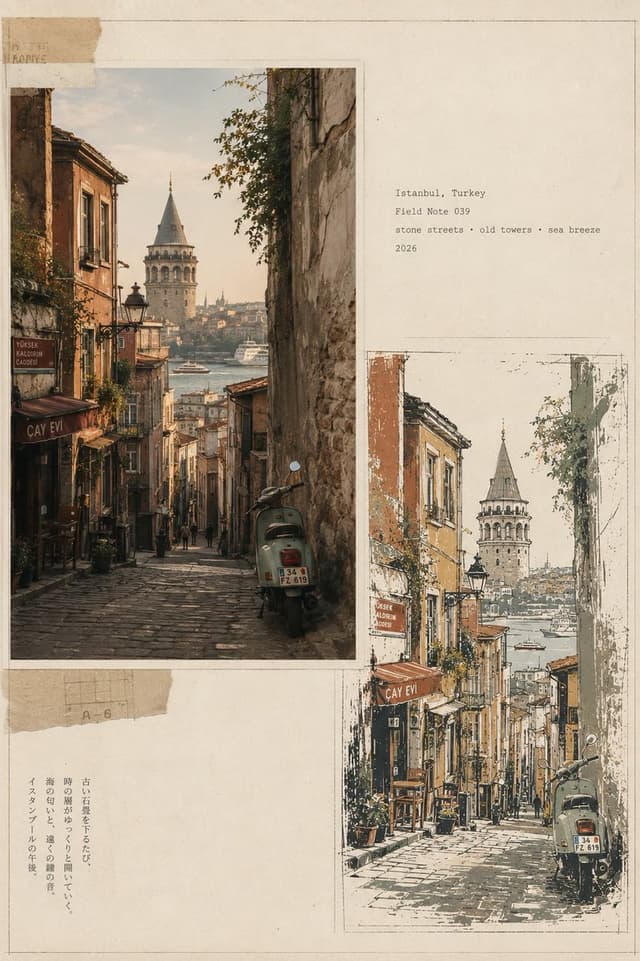
Create a premium vintage Japanese travel-journal editorial collage in vertical 4:5 format, featuring four distinct city sections—{argument name="locations" default="Bangkok, Thailand; Lisbon, Portugal; Marrakech, Morocco; Istanbul, Turkey"}. Each section combines a warm photorealistic documentary street photograph with a matching imperfect hand-drawn screen-print illustration, arranged asymmetrically on aged cream paper with torn-paper layers, archival borders, subtle pencil marks, typewriter captions, faded ink, paper fibers, and authentic 35mm analog grain. Bangkok: shrine, tangled wires, tropical greenery, teal motorbike; Lisbon: yellow tram, steep cobblestone street, balconies and river view; Marrakech: terracotta medina, palms, rugs and ornate minaret; Istanbul: steep stone street, Galata Tower, Bosphorus and vintage scooter. Use a restrained palette of sage, ochre, terracotta, mustard, charcoal and warm ivory, with sophisticated editorial art direction, muted contrast, natural light, handmade imperfections, and museum-quality travel-zine aesthetics. Small archival labels: “Bangkok / Field Note 052”, “Lisbon / Field Note 031”, “Marrakech / Field Note 017”, “Istanbul / Field Note 039”. No logos, watermark, HDR, oversaturation, or modern clutter.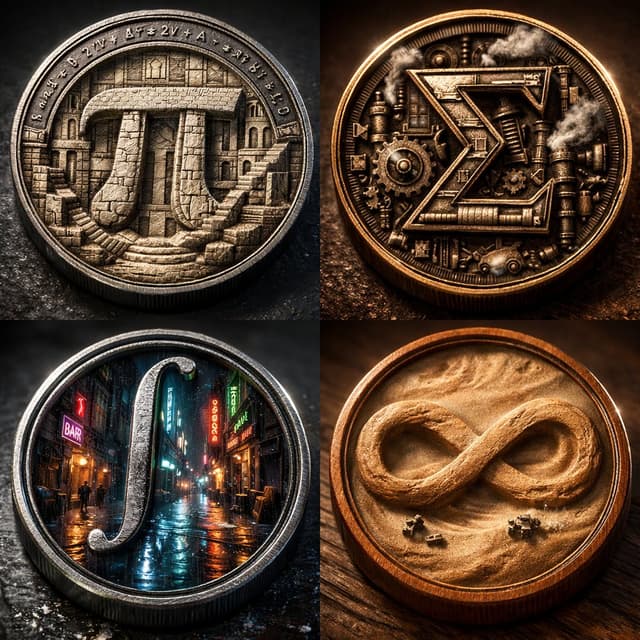
Infographic / Edu Visual - Micro-World Mathematical Symbols Grid Prompt
GadgetifyNano Banana Pro
2x2 grid of 4 monumental mathematical symbols built as 3d micro-world reliefs inside circular medallions [Top Left: The Pi (π) as a carved stone relief city inside a metal coin, tiny staircases and colonnades, equations engraved around the rim] [Top Right: The Sigma (Σ) as a mechanical relief with gears and steam vents, patinated bronze, sharp rim lighting] [Bottom Left: The Integral (∫) as a neon rain-soaked micro-alley world inside a steel medallion, reflective puddles, tiny silhouettes] [Bottom Right: The Infinity (∞) as a dust-storm desert relief inside a warm wooden coin, swirling sand texture, miniature rovers] Collector macro product photography, crisp rim highlights, realistic metal/wood grain, shallow DOF, high contrast, swiss 2x2 grid layout.
Infographic / Edu Visual - Vintage Travel Journal Editorial Collage
lovimg_comNano Banana Pro
Create a premium vintage Japanese travel-journal editorial collage in vertical 4:5 format, featuring four distinct city sections—Bangkok, Thailand; Lisbon, Portugal; Marrakech, Morocco; Istanbul, Turkey. Each section combines a warm photorealistic documentary street photograph with a matching imperfect hand-drawn screen-print illustration, arranged asymmetrically on aged cream paper with torn-paper layers, archival borders, subtle pencil marks, typewriter captions, faded ink, paper fibers, and authentic 35mm analog grain. Bangkok: shrine, tangled wires, tropical greenery, teal motorbike; Lisbon: yellow tram, steep cobblestone street, balconies and river view; Marrakech: terracotta medina, palms, rugs and ornate minaret; Istanbul: steep stone street, Galata Tower, Bosphorus and vintage scooter. Use a restrained palette of sage, ochre, terracotta, mustard, charcoal and warm ivory, with sophisticated editorial art direction, muted contrast, natural light, handmade imperfections, and museum-quality travel-zine aesthetic.
Browse by model, style or topic
Find your next direction
By use case
App / Web Design →Comics and storyboards →E-commerce images →Game assets →Educational graphics →Posters and flyers →Product marketing →Profiles and avatars →Social media posts →YouTube thumbnails →By style
3D renders →Anime and manga images →Chibi characters →Film stills →Cyberpunk images →Illustration →Chinese ink images →Isometric →Minimalism →Photography →Vintage images →Sketch and line art →Watercolor →Take the idea further.
Bring your prompts, references and results together in one creative space.
Open your canvas ↗