Game asset prompts

Develop a visual starting point for a game character or world. These image prompts offer character sheets and setting ideas to read, compare and adapt.

Explore prompts

736 prompts

Game Asset - 3D Plush Fruit Character Template — output
Comic / Storyboard - Cinematic Female Warrior Portrait Prompt — output
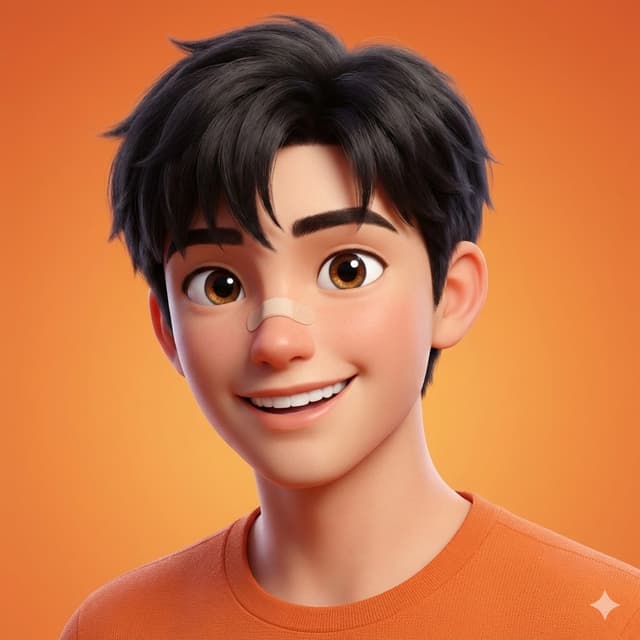
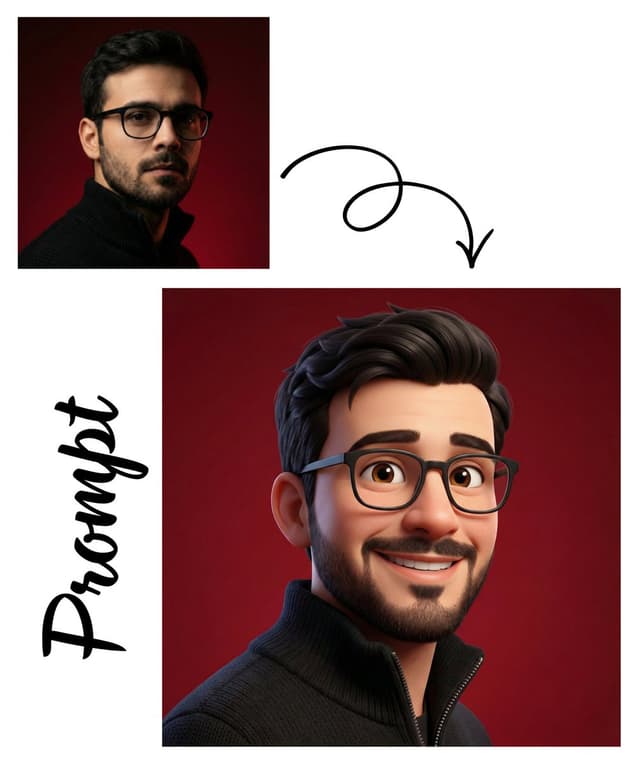
Game Asset - Detailed Pixar Style 3D Avatar Generation Prompt — output
Game Asset - Hyper-Real Macro Studio Shot of a LEGO Technic Kitbash — output
Game Asset - Dark Fantasy Winter Creature Emerging from a Blizzard — output
Game Asset - 3D Render of Boy and Furry Monster on Scooter — output
Game Asset - Object-Based World: Reality Unfolding from a Frozen Object — output
Game Asset - Hybrid Humanoid-Horse Portrait (Ronaldo/Messi inspired) — output

Game Asset - Hybrid Humanoid-Horse Portrait (Ronaldo/Messi inspired)

ShaHid WaNiiNano Banana Pro
{
  "image_type": "Photorealistic digital portrait",
  "resolution_target": "8K ultra-high resolution",
  "aspect_ratio": "2:3 (vertical)",

  "subject": {
    "form": "Hybrid humanoid–horse figure",
    "composition": "Upper torso and head visible",
    "pose": "Three-quarter profile facing right",
    "expression": "Neutral to intense, calm, focused gaze"
  },

  "head_and_face": {
    "face_structure": "Human male facial anatomy",
    "skin_texture": "Highly detailed, rough, weathered skin with visible pores, fine wrinkles, and natural uneven texture",
    "skin_tone": "Medium brown with warm undertones",
    "facial_hair": {
      "beard": "Short, trimmed beard",
      "mustache": "Connected to beard, neatly kept",
      "density": "Medium density facial hair"
    },
    "eyes": {
      "shape": "Almond-shaped",
      "color": "Dark brown",
      "gaze_direction": "Looking slightly forward and to the right",
      "detail": "Sharp catchlight, realistic moisture and depth"
    },
    "eyebrows": {
      "thickness": "Medium to thick",
      "shape": "Natural, slightly arched"
    },
    "nose": {
      "shape": "Straight bridge, realistic proportions",
      "texture": "Visible skin pores and highlights"
    },
    "lips": {
      "shape": "Medium thickness",
      "expression": "Closed, relaxed",
      "texture": "Natural matte texture"
    }
  },

  "hair_and_mane": {
    "head_hair": {
      "style": "Short, slightly tousled",
      "direction": "Swept backward and upward",
      "color": "Dark brown to near black"
    },
    "mane": {
      "type": "Horse mane",
      "texture": "Coarse, thick strands",
      "color": "Dark brown to black",
      "placement": "Flows backward along the neck"
    }
  },

  "horse_features": {
    "ears": {
      "type": "Horse ears",
      "position": "Upright, slightly angled back",
      "texture": "Short fur with realistic skin folds"
    },
    "neck_and_torso": {
      "build": "Muscular and powerful",
      "definition": "Strong muscle striations visible",
      "skin_texture": "Horse skin with short, fine fur",
      "color": "Deep dark brown"
    }
  },

  "lighting": {
    "style": "Soft cinematic lighting",
    "direction": "Primary light from front-left",
    "contrast": "Moderate contrast with smooth shadow falloff",
    "highlights": "Subtle highlights on forehead, cheekbones, nose, and neck muscles"
  },

  "background": {
    "type": "Studio backdrop",
    "color": "{argument name="background color" default="Warm beige to light tan gradient"}",
    "texture": "Smooth, slightly grainy",
    "depth": "Shallow depth of field, fully blurred"
  },

  "camera_and_focus": {
    "camera_angle": "Eye-level",
    "framing": "Close-up portrait",
    "focus": "Sharp focus on face and eyes",
    "depth_of_field": "Shallow, background fully out of focus"
  },

  "color_palette": {
    "dominant_colors": [
      "Dark brown",
      "Warm beige"}
    ]
  }
Game Asset - Structured Figure/Diorama Generation Prompt for Nano Banana Pro — output

Game Asset - Structured Figure/Diorama Generation Prompt for Nano Banana Pro

ハイさんNano Banana Pro
■ COMPOSITION_MODE: Composition and Angle
Faithful Framing: Maintains the zoom ratio and composition of the original illustration 'as is'.
Full-Body: Even if the original image is only upper body, it completes the feet to render a 'full-body figure'.
High-Angle View: Forcibly switches to a 45-degree high-angle 'overhead (bird's-eye) view'.

■ ENVIRONMENT_TYPE: Background Construction
Auto: AI analyzes the original image and automatically selects 'Diorama' if there is a detailed background, or 'Studio Background' if it is simple.
Force Diorama: Even if the original image has a white background, it forcibly constructs an elaborate miniature set (cityscape, nature, interior, etc.).
Force Studio: Eliminates any background and replaces it with a clean photographic backdrop or acrylic sheet.

■ ASPECT_RATIO: Screen Ratio
Inherit: Same ratio as the original image.
Square: 1:1. For SNS posts or icon-style compositions.
Portrait: 9:16. For smartphone wallpapers or dynamically showing standing figures.
Landscape: 16:9. For showcasing wide diorama sets.

■ DISPLAY_BASE: Base Selection
Simple Round: Transparent or opaque circular plastic base. Results in the most common figure appearance.
Decorative: Custom base with decorations matching the character's theme (rubble, magic circles, luxurious designs, etc.).
Diorama Floor: Eliminates the concept of a base, placing the figure directly on the diorama ground.
None: Excludes both the base and ground details, resulting in the simplest self-standing state.

■ DENSITY: Information Density
Standard: A clean, organized finish, like a catalog photo.
High: Adds a large number of small objects (model grass, rubble, miniature furniture, etc.) within the diorama to maximize information density.

■ FIGURE_MATERIAL: Figure Material Texture
Standard PVC: Standard plastic feel of commercial figures. Softly diffuses light.
Premium Resin: Detailed molding and a high-grade resin feel with slight transparency. Texture like a garage kit.
Glossy Plastic: A texture with strong reflections, like a glossy painted finish.

■ LIGHTING_STYLE: Lighting
Natural: Soft natural light, like being photographed by a window. Everyday atmosphere.
Bright Studio: Advertising photo style with multiple lights, minimal shadows, and clear details.
Cinematic: Strong contrast and shadows to create a profound atmosphere, like a scene from a story.
Game Asset - NES BG Dot Art Conversion Prompt — output

Game Asset - NES BG Dot Art Conversion Prompt

ぽっぽ/目玉PNano Banana Pro
[NES Final Specification/Complete Version: BG-Only Algorithm Execution Type Dot Art Conversion Prompt]

Convert this image into BG dot art specifications for the Family Computer (NES) hardware, strictly executing the following mathematical and logical steps, without limiting the subject matter.

The purpose of this prompt is to satisfy the constraints required for BG to function on actual NES hardware. Aesthetic-only NES-style expression is prohibited.
Use only the BG layer; sprites are strictly prohibited.

────────────────────────
[Prerequisites (NES BG Implementation Rules)]
────────────────────────
- Output Resolution: 256 × 240 pixels
- Layer Used: NES BG only
- Sprite usage prohibited
- Transparency processing is not performed
- Index 0 of each palette is treated as the NES universal background color
- Index 0 is common to all palettes
- The color with the largest coverage area on the entire screen is assigned as the universal background color
- Color number 0 can also be used as a normal drawing color

────────────────────────
[Step 1: Geometric Image Processing (Protagonist Priority, No Deformation Cropping)]
────────────────────────
1. Set the conversion size to 256 × 240 pixels
2. Always maintain the aspect ratio of the original image
- Scale up or down until the shorter side fits the conversion size
- Stretching the image is strictly prohibited
3. Automatically detect the protagonist (person, animal, building, etc.) in the image, and adjust the crop position so that the protagonist is maximally contained within the frame
4. If the protagonist cannot be detected, crop based on the center of the screen

────────────────────────
[Step 2: Tile Decomposition and Attribute Block Definition (NES Compliant)]
────────────────────────
1. Divide the image into 8×8 pixel tiles
2. Treat 2×2 tiles (16×16 pixels) as 1 attribute block
3. Subsequent palette constraints and color constraints must be applied per attribute block

────────────────────────
[Step 3: Attribute Block Unit Palette Clustering (Maximum 4)]
────────────────────────
1. Analyze the color distribution within each 16×16 attribute block
2. Cluster all attribute blocks by color distribution similarity, classifying them into a maximum of 4 groups
3. If the hue (blue, green, etc.) is clearly different from other areas, treat it as an independent group whenever possible
4. However, the NES BG sub-palettes are limited to a maximum of 4. Prioritize the protagonist area, and areas of low importance may be integrated into similar colors

────────────────────────
[Step 4: NES BG Palette Generation (4 colors × 4 sets)]
────────────────────────
1. Index 0 (Universal Background Color)
- Calculate the color with the largest coverage area on the entire screen, and assign it to Index 0, common to all palettes
2. Index 1–3 (Unique Colors)
- For each sub-palette, select 3 colors that represent the 'light part,' 'mid-tone,' and 'dark part' of that attribute group
- Colors extremely close in hue or brightness to Index 0 are prohibited

────────────────────────
[NES Color Palette Constraints (Hardware Compliant, NTSC)]
────────────────────────
- Available colors are strictly limited to the 54 NES hardware-compliant NTSC palette colors listed below
- Palette generation, color selection, and quantization must always be performed from this 54-color set
- Generation of new colors, RGB interpolation, or use of continuous values is prohibited
- The following color set contains exactly 54 colors

NES NTSC usable palette (54 colors, hex RGB)
000000,1D2B53,7E2553,#008751,AB5236,5F574F,
C2C3C7,FFF1E8,FF004D,FFA300,FFEC27,00E436,
29ADFF,83769C,FF77A8,FFCCAA,291814,111D35,
422136,125359,742F29,49333B,A28879,F3EF7D,
BE2633,E06F8B,E0A872,B2DCEF,4F6781,8E478C,
A3CE27,44891A,2A4F3E,6D758D,9D9D9D,FFFFFF,
4B692F,6A6A6A,8F563B,C2C3C7,DF7126,D95763,
D77BBA,FBF236,99E550,6ABE30,37946E,5FCDE4,
CBDBFC,ADB5BD,EEC39A,696A6A

────────────────────────
[Step 5: CHR Pattern Compression (BG 256 Tile Limit)]
────────────────────────
1. Calculate the number of unique 8×8 tile patterns used across the entire image
2. Limit the number of unique tiles to not exceed 256 types
3. For large areas like backgrounds, sky, or walls, repeatedly use completely identical dot patterns to minimize the number of tile types
4. Tiles with slight differences may be integrated using the following methods:
- Readjustment of dither placement
- Replacement of intermediate colors
- Requantization within the attribute block

────────────────────────
[Step 6: Dithering (NES 4-Color Constraint Support)]
────────────────────────
1. Use only the 4 assigned colors within each attribute block
2. To express pseudo-gradation, apply the following dither

Game Asset - Stylized 3D Animated Female Photographer Character (Pixar Style) — output
Game Asset - Pixar-style 3D character of a cheerful girl in yellow — output
Game Asset - Cinematic 3D World Emergence from Object — output
Colossal battleship at dawn illustration prompt — output
Game Asset - High-End 3D Render of Segmented Object — output

Game Asset - High-End 3D Render of Segmented Object

Sharon RileyNano Banana Pro
Ultra-clean high-end 3D render of {argument name="object" default="OBJECT"}, designed with clearly segmented parts in bold, vibrant, high-contrast colors, each component using a different saturated pop color (electric blue, neon pink, bright yellow, mint green, cyan, purple, glossy white accents), smooth matte and semi-gloss plastic materials with subtle rubberized elements, rounded edges, playful industrial toy-like proportions, premium collectible-toy aesthetic, the object floating in mid-air with slightly separated components to emphasize individual parts, no motion blur, perfectly balanced composition, studio lighting with soft diffused key light and controlled rim light to enhance color separation, minimal clean shadows, smooth gradient background transitioning from deep blue to purple, ultra-polished Apple-level cleanliness, no textures, no scratches, no dirt, no realism noise, no muted tones, no desaturation, no monochrome dominance, perfect global illumination, ray-traced reflections, soft contact shadows, shallow depth while remaining razor sharp, cinematic framing, centered composition, minimalistic, modern, playful yet premium, rendered in ultra-high resolution with Octane or Redshift-style quality, Behance-feature-level output, no text, no logos, no branding, no extra elements, no people, no environment clutter, no watermark, no typography, aspect ratio 4:5.
Browse by model, style or topic

Find your next direction

ASTORIE CANVAS

Take the idea further.

Bring your prompts, references and results together in one creative space.

Open your canvas ↗