Adult reference
Choose the anchors for your brief
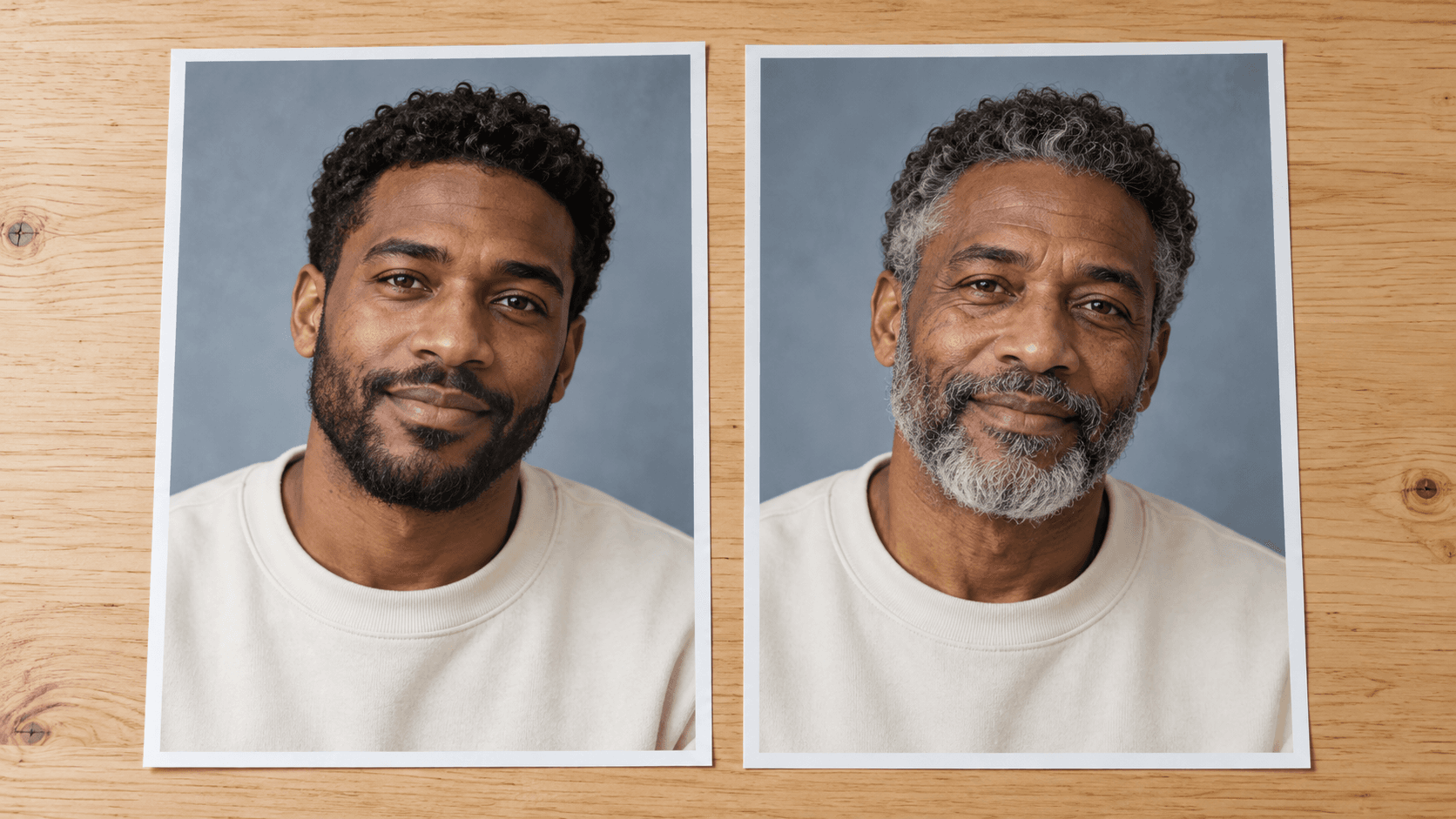
- The portrait establishes facial proportions and expression.
- Short curls, a beard and a cream top define the starting look.
- Simple lighting makes the face easier to compare.

Choose a sample or upload an adult portrait, select an age direction and edit the brief. Compare the imagined portrait with your source.
Use the source to judge recognizable features and expression. Page images are Image Gen concept illustrations, not verified outputs from this Astorie generator or predictions of real aging.
Choose the anchors for your brief
Inspect the interpretation

Work from one clear portrait and keep the first brief focused on age-related appearance.
Choose a sample or upload an adult portrait you have permission to use. A visible face, even light and a simple crop make it easier to describe what matters.

Select Younger adult, Mature adult or Older adult. Edit Describe your age edit to request an approximate adult age and name the expression, hair or framing you want to carry through.
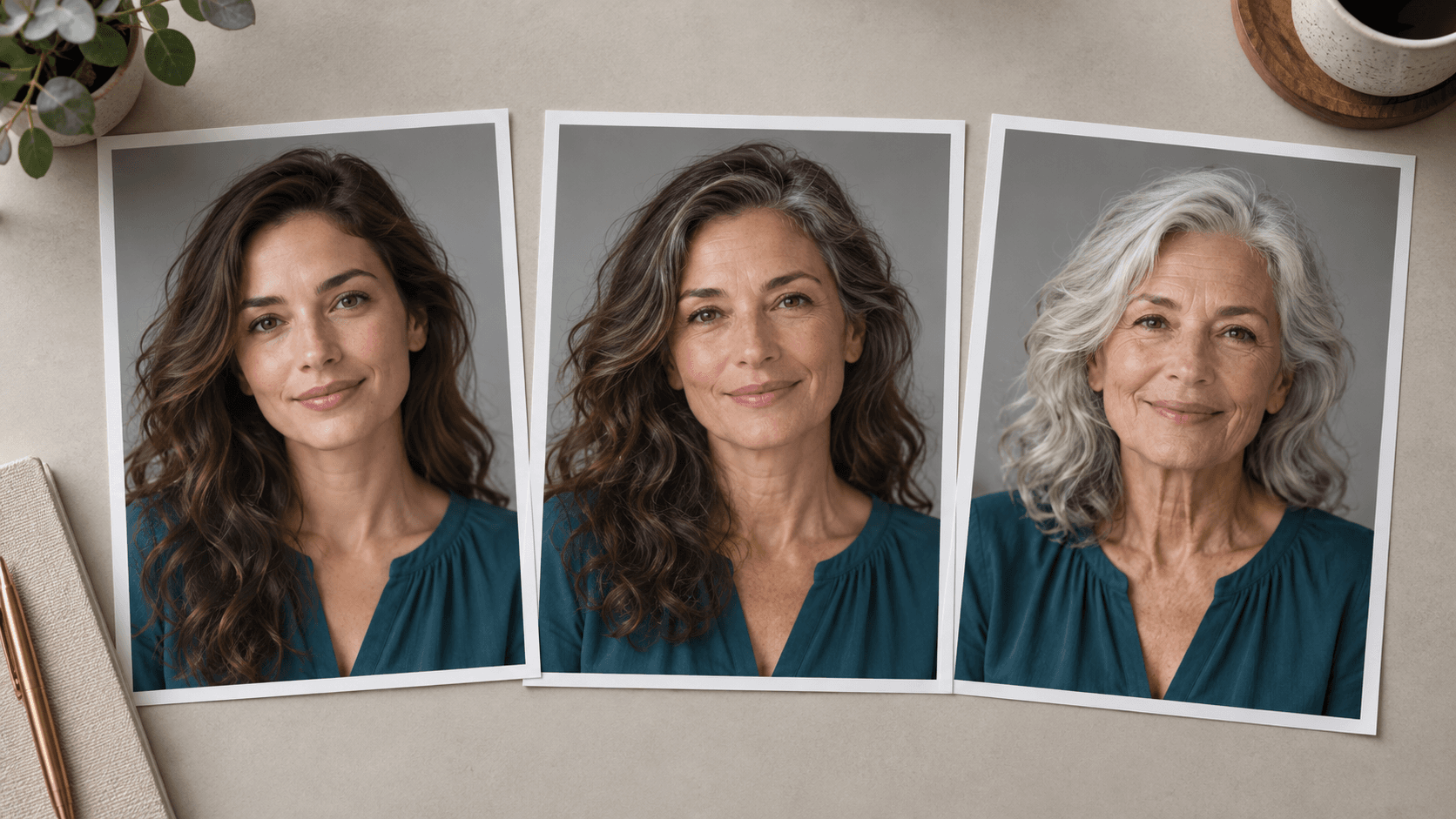
Select Generate age variation and sign in if prompted. Inspect facial anchors, skin texture, hair and expression against the reference before choosing a result.
These are prompt goals for a generated image, not separate identity locks or measured age controls.
Choose a broad adult age direction or describe one in the prompt. A number guides the appearance; it does not certify the age of the generated face.
Try an age directionName the eye shape, nose, mouth or other features that matter. Compare the candidate with the source because those details can still drift.
Try an age directionRequest believable pores and facial lines rather than a beauty filter or exaggerated wrinkles. Inspect the texture at the size you intend to use.
Try an age directionDescribe subtle gray temples, silver hair or a related younger-adult hairstyle. Avoid changing every styling detail at once if age is the main experiment.
Try an age directionAsk for the same smile, gaze and head angle. Review the emotional tone as well as the appearance of the face.
Try an age directionIf the result changes too much, narrow the next brief and compare it with the original. Keep the reference as the visual anchor for each attempt.
Try an age directionUse these fictional portrait concepts to plan a brief for your own reference. Ages describe requested directions, not verified outcomes.



Use the image as a visual concept and make its generated nature clear when sharing it.
Explore how a fictional adult character might appear at different points in a story. Compare recognizable features across concepts before building a character reference sheet.
Explore a character
Use your own portrait to explore an imagined older or younger-adult look. Present it as an AI interpretation rather than a record of your past or future appearance.
Explore a portrait
Compare adult age directions for a story or visual mood board. Keep the age treatment separate from costume and lighting decisions so the team can assess each choice.
Explore an age brief
This is reference-based image generation for creative portrait exploration.
| Input | One selected sample or uploaded adult portrait. A reference is required. | |
|---|---|---|
| Controls | Three age-direction presets and an editable prompt. This form does not expose an age slider, identity lock, local mask or batch controls. | |
| Output | A generated still image saved to a personal canvas project. | |
| Age and likeness | Requested ages are approximate creative directions. Exact likeness, facial geometry, skin details and repeated-result consistency are not guaranteed. | |
| Prediction limits | The image does not predict future appearance, recover an authentic younger portrait or determine a person’s real age. | |
| Request cost | Check the credit requirement shown before generating. | |
| Free plan | A free plan is listed with no credit card required. Check your current account allowance. | Verified 2026-10-15 |
| Commercial use | Paid-plan generations have commercial rights subject to provider terms and input rights. Free-plan outputs are for personal, non-commercial evaluation; upgrading applies to new generations. | Verified 2026-10-15 |
| Upload data use | Default terms permit using uploads, prompts and outputs for training and improvement. Provider policies apply. Enterprise opt-out requires a written agreement; learned or derived information may persist after source removal. | Verified 2026-10-15 |
These catalog links support separate workflow research. They do not identify the model behind this form or prove age-editing accuracy.
Catalog checked 2026-10-15. Compare reference support, editing controls and provider terms.
Browse image modelsIt generates a portrait with an imagined age-related appearance from a reference and a written brief. This page focuses on adult age variations for creative projects.
No. The result is an imagined portrait, not a forecast. It does not account for the many individual factors that influence how a person’s appearance changes.
You can request an approximate adult age in Describe your age edit. The number guides generation, but the image is not a measured or verified representation of that age.
You can request a younger-adult interpretation. It does not recover an authentic photograph of the person at that age, and facial details can change.
Use a clear reference and name the facial anchors, expression, pose and framing that matter. Compare the result carefully; exact likeness and consistency are not guaranteed.
Paid-plan generations have commercial rights subject to provider terms and your rights to the reference and likeness. Free-plan outputs are for personal, non-commercial evaluation. Review the current commercial-rights policy before paid use.
Default terms permit uploads, prompts and outputs to be used for training and improvement, and provider policies apply. Enterprise opt-out requires a written agreement. Read the upload-data policy before supplying a portrait.
Choose a reference, describe an adult age treatment and inspect the generated portrait against the features that matter.