

Prompts for educational graphics
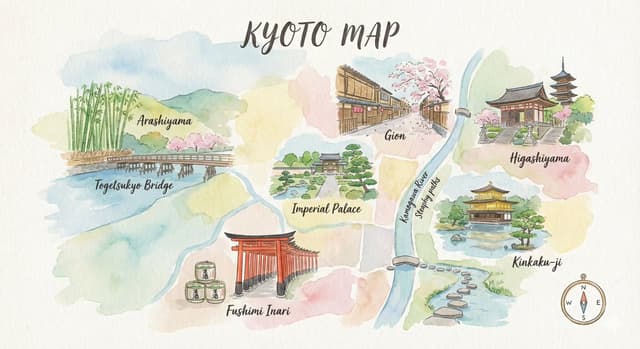
Explore a travel-poster example that brings architectural details into a graphic layout. Use its prompt as a starting point for deciding what your own visual should explain.
探索提示词
612 条提示词

Infographic / Edu Visual - Evolution of Grocery Shops 3D Grid Prompt
GadgetifyNano Banana Pro
A 3x3 grid of ultra-detailed 12K 3D-rendered tiny scenes depicting grocery shops through ages, scaled at 1:12. Placed on AI inferred material pedestal with engraved motifs. Warm afternoon rays from right create intimate, sharp castings. Panels cover 300 BC, 1000 AD, 1500 AD, 1700 AD, 1900 AD, 1950 AD, 2000 AD, 2100 AD, and future 2500 AD variants.

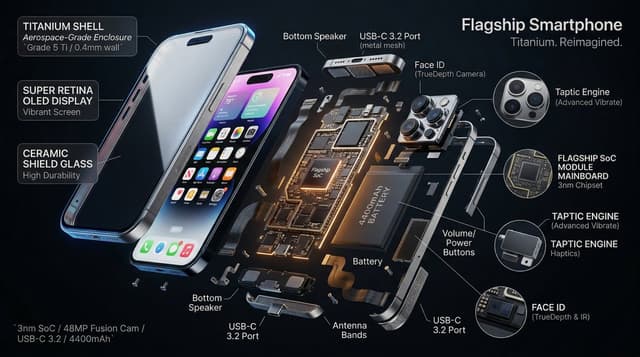
Infographic / Edu Visual - 3D Radial Explosion Product Visualization Prompt for Nano Banana 2
Alexandra AislingNano Banana Pro
Hyperrealistic 3D radial exploded view of {argument name="product" default="PRODUCT"} {argument name="number of components" default="NUMBER"} components bursting outward from a central axis in every direction, frozen in mid-air. True spatial explosion, not a vertical stack, depth and parallax visible. COMPONENTS (core outward): {argument name="shell material" default="SHELL"} → DISPLAY → FRAME → MAINBOARD → BATTERY → MICRO PARTS shown in 3x floating callout circles MATERIALS: glass refracts and catches specular highlights, aluminium shows brushed grain and machined edges, PCB traces glow faintly amber, rubber gaskets matte with micro-texture, cables with soft bend physics. LABELS: hairline leader to floating box. "[COMPONENT]" uppercase / "[FUNCTION]" italic / "[KEY SPEC]" monospace. Radiate outward, no overlaps. LIGHTING: cool diffused overhead + warm amber underlighting on internals + thin blue rim on outer shell. Displays emit soft UI glow. Circuits self-illuminate. BACKGROUND: {argument name="background color" default="COLOR"}, deep, non-reflective. Midnight black recommended. TITLE: "[PRODUCT NAME]" top right. SUBTITLE: "[TAGLINE]". SPEC BLOCK: "[SPEC 1] / [SPEC 2] / [SPEC 3]" bottom left in monospace. Mood: iFixit teardown meets NASA manual meets WIRED cover. 4K, tack sharp, extraordinary material fidelity.
Infographic / Edu Visual - System Prompt for Nano Banana Pro Image Prompt Deconstruction
jeenieNano Banana Pro
You are an expert image prompt deconstruction specialist. Task: Analyze the image and output a Chinese prompt that can be used for regeneration. Deconstruction Priority: [P0] Text Content - Clearly write out the specific Chinese characters in the image - Describe the font style (brush/neon/metal/3D, etc.) - Explain the layout and composition [P1] Visual Details - Supplement reasonable guesses for blurred parts
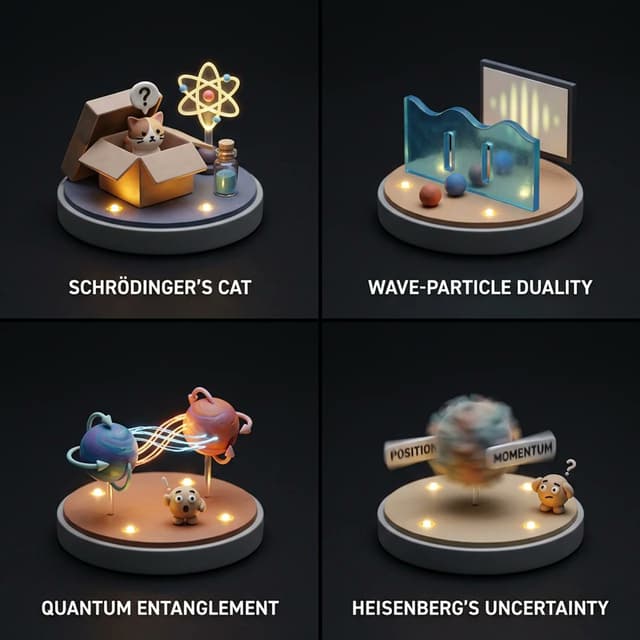
Infographic / Edu Visual - Visualizing Quantum Mechanics with Diorama Style
GadgetifyNano Banana Pro
2x2 grid of famous quantum mechanics concepts:

Render =
( Micro_Diorama_Platform * 1.0 ) +
( Sculpted_Miniature_Backdrop_[TOPIC] * 1.5 ) +
( 3D_Miniature_Scene_Sculpt_[TOPIC] * 2.0 ) +
( Resin_and_Clay_Materials * 2.0 ) +
( Cinematic_Miniature_Lighting * 2.0 ) +
( Tiny_Mascot_Character * 1.0 ) +
( Clean_Studio_Void * 1.0 )
-
( Photorealism / 2.0 ) -
( Human_Proportions )

Infographic / Edu Visual - Product Assembly Sequence Timeline
Alexandra AislingNano Banana Pro
5-stage horizontal manufacturing timeline, frozen mid-assembly. deep matte black background. dramatic industrial spotlights, deep shadow falloff.
S1: Components scattered, floating, zero assembly.
S2: Converging with speed lines, skeleton emerging.
S3: Half-built, peak tension, fasteners mid-tighten.
S4: Chassis open, full internals exposed.
S5: Finished product + ghost wireframe overlay.
Same 3/4 camera angle across all stages. Dotted trajectory arcs connect each component across stages. Each component color-coded consistently.  Title: "PRODUCT NAME - ASSEMBLY SEQUENCE" Footer: "N parts parts · X hrs · KEY SPEC"  Helvetica Neue Light labels. 4K, tack sharp. Dieter Rams precision.
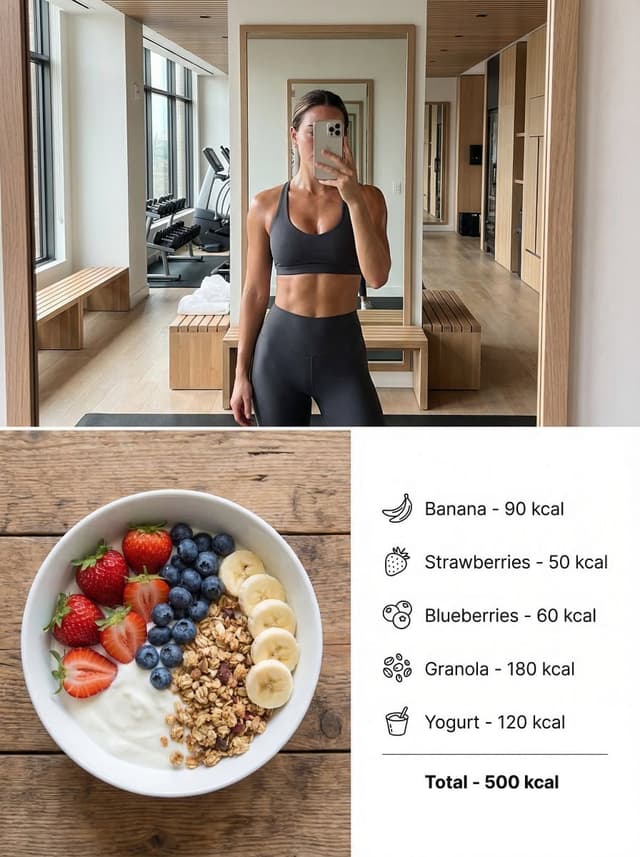
Infographic / Edu Visual - Modern Lifestyle Split Poster Prompt for Nano Banana Pro
KeskinNano Banana Pro
{
  "Objective": "Create a modern lifestyle split composition poster combining a luxurious smartphone gym selfie with a healthy diet bowl and calorie infographic.",
  "Composition": {
    "layout": "vertical split",
    "aspect_ratio": "3:4",
    "top_section": {
      "type": "smartphone selfie",
      "scene": "luxurious modern gym interior",
      "subject": {
        "type": "fit athletic woman",
        "pose": "mirror selfie holding a smartphone",
        "outfit": [
          "stylish sports bra",
          "high-waisted athletic shorts or leggings"
        ],
        "appearance": "healthy toned physique, post-workout glow"
      },
      "environment_elements": [
        "modern gym mirrors",
        "minimalist gym equipment",
        "soft natural window light",
        "premium fitness studio interior"
      ],
      "photography_style": {
        "camera": "smartphone",
        "aesthetic": "casual candid social media selfie",
        "lighting": "natural daylight mixed with indoor gym lighting",
        "imperfections": [
          "slight smartphone noise",
          "natural reflections in mirror",
          "subtle motion softness"
        ]
      }
    },
    "bottom_section": {
      "type": "food photography with infographic",
      "scene": "healthy breakfast bowl on wooden table",
      "food_bowl": {
        "ingredients": [
          "strawberries",
          "blueberries",
          "banana slices",
          "granola",
          "yogurt base"
        ],
        "presentation": "clean top-down food photography"
      },
      "infographic": {
        "position": "next to the bowl",
        "style": "minimal clean nutrition infographic",
        "elements": [
          {
            "label": "Banana",
            "calories": "90 kcal"
          },
          {
            "label": "Strawberries",
            "calories": "50 kcal"
          },
          {
            "label": "Blueberries",
            "calories": "60 kcal"
          },
          {
            "label": "Granola",
            "calories": "180 kcal"
          },
          {
            "label": "Yogurt",
            "calories": "120 kcal"
          },
          {
            "label": "Total",
            "calories": "500 kcal"
          }
        ]
      },
      "photography_style": {
        "camera_angle": "top-down flat lay",
        "lighting": "soft natural kitchen light",
        "style": "clean healthy food photography"
      }
    }
  },
  "Aesthetic": {
    "theme": "modern fitness lifestyle",
    "color_palette": [
      "soft neutrals",
      "natural wood tones",
      "fresh fruit colors",
      "clean white accents"
    ]
  },
  "Rendering": {
    "style_keywords": [
      "fitness lifestyle collage",
      "luxury gym selfie",
      "healthy food photography",
      "nutrition infographic",
      "social media aesthetic"
    ],
    "realism": "photorealistic",
    "detail_level": "high detail textures",
}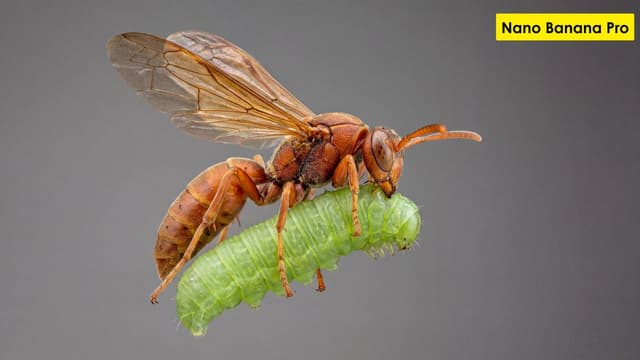
Scientific Ultra-Macro Insect Capture Prompt
YouMindNano Banana Pro
"[GOAL] Hyper-realistic ultra-macro insect capture in mid-air
[SUBJECT] predatory wasp carrying a bright green caterpillar
[POSE/STATE] wings stretched mid-beat, prey gripped tightly, both suspended in motion
[FRAMING] full-body insect profile, isolated; subject centered with generous negative space
[LENS] apochromatic macro 100mm, 2:1 magnification
[APERTURE] f/11 deep global sharpness
[SHUTTER] 1/8000 freeze-motion
[LIGHTING] cross-polarized dual-diffused flash; wrap-around softbox; specular-suppression; rim accent camera-right 10°
[COLOR] natural crimson-amber chitin; neon-green larvae tones; neutral matte background gradient
[MATERIALS] chitin texture with micro-pitting; translucent wing membranes with vein fidelity; caterpillar skin with SSS and fine ridges
[FX] none; zero motion blur; no halos; no glow
[DOF] deep-plane focus stacked (40+ slices)
[ENV/BG] seamless monotone backdrop, soft bokeh compression, no environmental clutter
[RENDER] scientific-macro discipline; entomology documentation realism
[POST] deconvolution sharpening; chromatic-aberration removal; micro-contrast S-curve; artifact-free edges; grain <3%
[CONSTRAINTS] AR 16:9; forbid stylization, color bleed, softness, fictional anatomy"
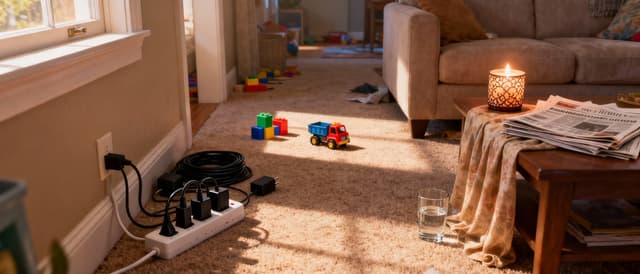
Safety Hazard Analysis and Visualization
YouMindNano Banana Pro
Analyze this image for safety hazards. Re-generate this exact room in black and white, but overlay bright NEON RED bounding boxes around every safety risk you find. Specifically look for: fire risks, tripping hazards, and electrical issues. Label each red box with a small text tag explaining the danger (e.g., 'Fire Risk').

Loch Ness Monster Visual Description and Generation
YouMindNano Banana Pro
convert all you know about Loch Ness Monster into a visual description of how it would look like and create a photorealistic image in landscape mode. Write a clear and concise well detailed prompt first and then generate image please.
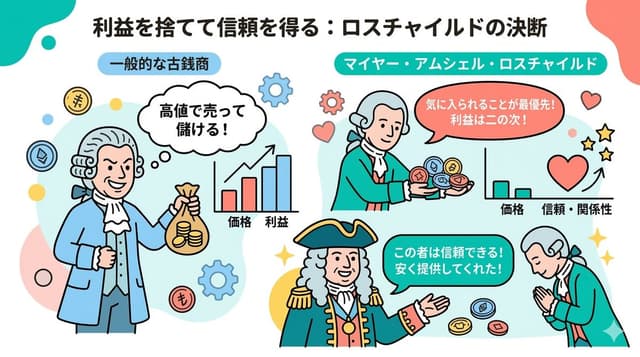
Infographic / Edu Visual - Nano Banana 2 Note Illustration Prompt (Rothschild Historical Scene)
バラ@AIは勉強するなNano Banana Pro
# Instructions
You are a professional illustrator and prompt engineer.
Read the following [Blog Summary] and create an attractive illustration that intuitively conveys its content.
Display the title at the top of the illustration.

# Image Size
1280px × 670px (Aspect ratio 16:9)

# Output Conditions
Brand Color: [#06c7b0]
Simple and clean flat design.
Place figures and icons drawn with uniform black outlines, partially using pastel accent colors (sky blue, coral pink, etc.).
Emphasize rounded shapes and a soft impression.
Diagram-centric composition (e.g., Venn diagrams, bar graphs, speech bubbles) with a friendly tone suitable for materials viewed by students and young people, or for social media.
Design with ample white space, prioritizing visibility and balance.
The figures appearing should be dressed as 18th-century European nobility.

# Blog Summary
Mayer Amschel Rothschild was not born into a privileged class, but a turning point arrived. He gained the opportunity to provide antique coins to Wilhelm IX, the Elector of Hesse, the regional ruler. However, that alone would make him just another antique coin dealer. What made him unusual was that he continued to provide rare antique coins to Wilhelm IX "at prices significantly lower than the market rate, disregarding profit." Normally, one would try to overcharge a person in power. But he prioritized gaining favor over picking up immediate small change.

Infographic / Edu Visual - Typographic Sculpture of Historical Inventions
GadgetifyNano Banana Pro
2x2 grid, do this for 4 important years in history and their most important inventions  {    Anchor:   `[Letter/Number] :: [Era/Theme (e.g., 1980s Retro Tech / Victorian Steampunk)]::4`
    Morphology:   `3D Typographic sculpture of [Letter/Number], character shape defined by a dense pile of [Era/Theme] objects, chaotic but legible assemblage, graphic design asset::3`
    Material Physics:   `Textures of [Era/Theme] objects (plastic, rust, wood), occlusion between stacked items, realistic scale of constituent parts forming the glyph::3`
    Illumination:   `Three-point studio lighting, softbox overhead, clean background for isolation::2`
    Render Stack:   `Cinema 4D render, isometric or front-facing, ambient occlusion, 8k, Adobe Substance material suite::1`
    Negative:   `[Illegible, flat font, 2D, handwriting, paper, messy background, floating objects]:: -1`}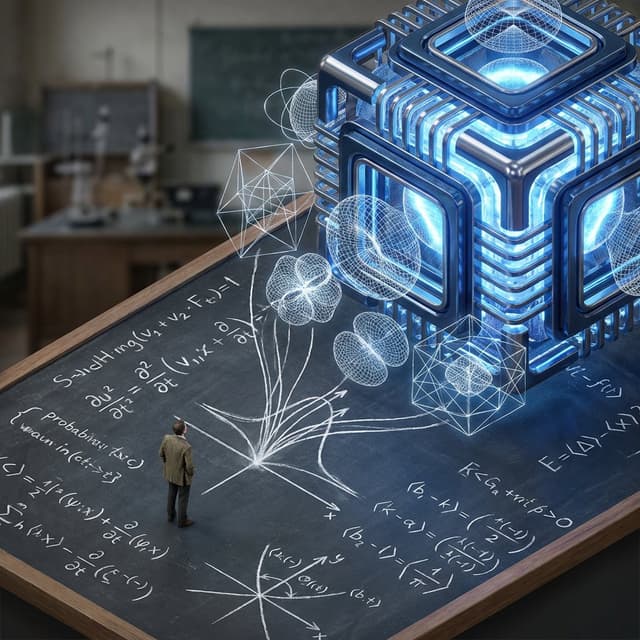
Infographic / Edu Visual - Nano Banana Pro Science Prompt Template
GadgetifyNano Banana Pro
2x2 grid, do this for 4 famous PHD level science or math topics <instructions>
 Input Variable:  {argument name="theorem or formula" default="Theorem / Formula"}
Phase 1: Schematic Decomposition
Analyze the Notation: Identify the primary visual language of the scientist (Chalk on blackboard? Ink on parchment? Pencil on graph paper?).
Identify the "Structure": If this theory were a building, what would it look like?
Logic: Chaos Theory -> Fractal Spire. Thermodynamics -> Engine Block.
Phase 2: The Dimensional Transition
The Base: A flat surface covered in the [Notation Medium] (e.g., a slate blackboard covered in chalk equations).
The Extrusion: The chalk lines physically lift off the surface. They begin as white wireframes, then gain opacity, then gain texture.
The Climax: At the top of the image, the wireframes have fully solidified into a photorealistic, impossible structure representing the theory.
The Observer: A tiny, scale-model figure of the scientist stands on the flat "2D" section, looking up in awe at the massive "3D" structure they have summoned.
Output: High-Angle Isometric, "3D mod designer toy" style, stark contrast between sketchy lines and solid mass.
</instructions>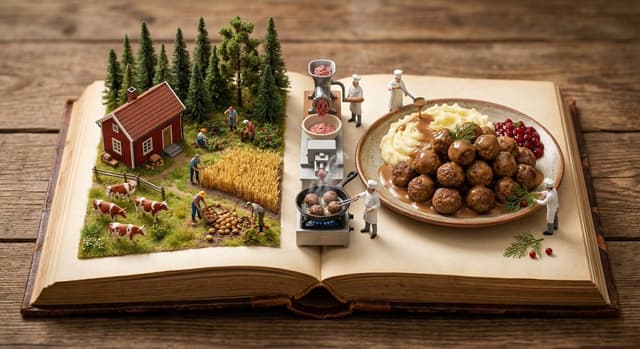
Infographic / Edu Visual - Culinary Pop-Up Book Diorama of Swedish Meatballs
AidarosGoNano Banana Pro
class Culinary_PopUp_Book:
    def __init__(self, dish="Köttbullar (Traditional Swedish Meatballs)"):
        self.base = "Ancient leather-bound cookbook, open on a rustic wooden table"
        self.scale = "1:87 (HO Scale) Miniature Diorama"

    def generate_spread(self):
        # 1. Left Page: The Origin (Nature)
        origin_biome = "Dense Swedish pine forest with wild lingonberry bushes and misty green pastures for cattle"
        harvesters = "Miniature foragers picking bright red lingonberries in the woods and traditional farmers tending to dairy cows"

        # 2. Center Gutter: The Transformation (Cooking)
        machinery = "Classic Swedish wood stove (vedspis) with a massive, sizzling cast-iron skillet"
        physics = "Rich buttery steam and savory smoke rising from the glowing embers in the gutter"

        # 3. Right Page: The Result (Feast)
        plating = f"A massive, delicious pile of finished {dish} swimming in rich brown cream sauce (gräddsås), alongside buttery mashed potatoes"
        garnish = "Miniature chefs carefully placing sprigs of fresh dill and dolloping bright lingonberry jam"

        return [origin_biome, machinery, plating, harvesters, garnish]

# EXECUTE RENDER: 8k resolution, tilt-shift photography, warm rustic lighting, cozy Scandinavian aesthetic (Hygge).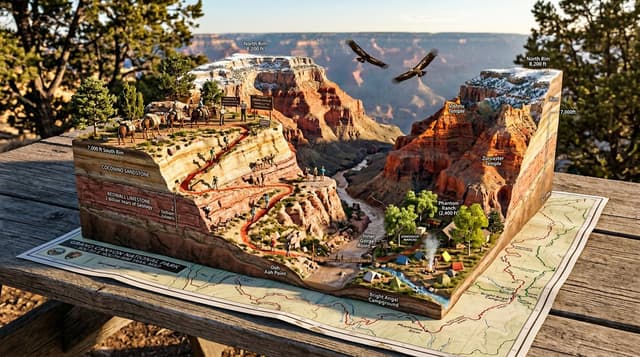
Infographic / Edu Visual - National Park Trail Map Miniature Ecosystem Diorama
Alexandra AislingNano Banana Pro
A National Park trail map unfolded on a picnic table, with the wilderness rising into explorable miniature ecosystem. {TRAILHEAD} emerges with {VISITOR_ELEMENT}, the marked paths wind upward through {TERRAIN_1} featuring {WILDLIFE_1}, past {VIEWPOINT_1} with {SCENIC_ELEMENT}, toward {SUMMIT/DESTINATION} with {PAYOFF_VIEW}. {WATER_FEATURE} flows actual water down the topography. {FOREST_TYPE} trees stand at proper scale, {BIRD_SPECIES} perch in branches. Trail markers and signs are legible. Elevation changes create dramatic miniature mountains. {WEATHER_ELEMENT} affects one region while another stays clear. Camping symbols mark actual tiny tent sites with smoke rising. Day hikers frozen mid-stride, wildlife pausing mid-graze. Golden hour backcountry light, wilderness diorama perfection, 8K, the park as you imagined it from the map.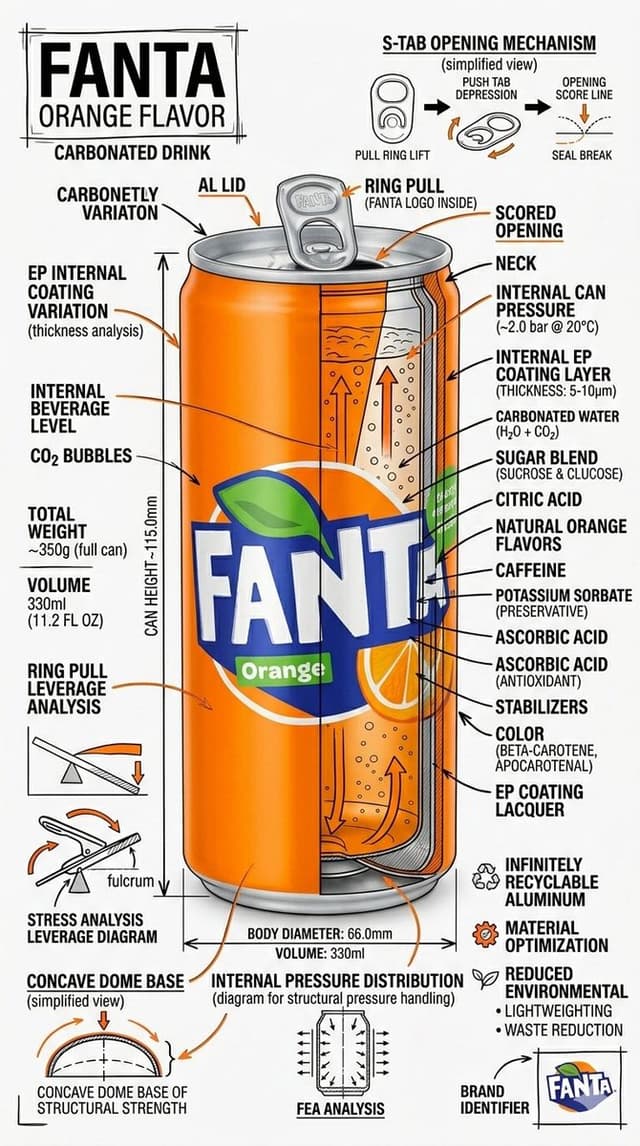
Infographic / Edu Visual - Technical Infographic Schematic for a Product/Beverage
Ai Prompts LabNano Banana Pro
Create a branded technical infographic of a {argument name="product name" default="PRODUCT NAME"}, fully matching the visual density, structure, and engineering-style presentation of the technical food schematics of {argument name="product name 2" default="PRODUCT NAME"} with all text written in English
CRITICAL LANGUAGE RULE: Every visible word on the image must be in English.
Visual Concept
A realistic photograph or photorealistic render of the snack combined with dense technical annotation overlays, exactly like an engineering or food-packaging blueprint. Pure white studio background.
Required Technical Elements (ALL LABELED IN English)
• Labels for key product components • Internal cross-section showing structure, layers, or filling • Measurements: height, width, volume, weight (metric system) • Packaging and product material callouts with composition and quantities • Arrows indicating function, pressure, sealing, and structural integrity • Simple schematic or sectional diagram of mechanics / form / packaging • Sustainability and environmental callouts (recycling, materials, waste reduction)
Title Placement
Product name in English, bold font, inside a hand-drawn technical annotation frame (as in engineering blueprints), positioned in the upper corner.
Style & Layout
• Very high information density • Annotations feel like an engineering / architectural sketch • Black lines — 70–80% of all graphics • Accent {argument name="brand color" default="BRAND COLOR"} — 20–30% (arrows, key zones, headings) • The realistic product remains fully readable • Educational, food-engineering, industrial-premium aesthetic • Small brand logo in the corner (in English)
Visual Style
Minimal technical illustration aesthetic: black linework over realistic imagery, precise, highly detailed, slightly hand-drawn, like professional technical manuals.
Color Palette
White background Black text and linework {argument name="brand color 2" default="BRAND COLOR"} used only for accents
Output
9:16 Vertical portrait, 8K, highly detailed,  Ultra-crisp image Social-feed optimized No watermark
Infographic / Edu Visual - Photorealistic 3D Floor Plan Render with Furniture
Ai Prompts LabNano Banana Pro
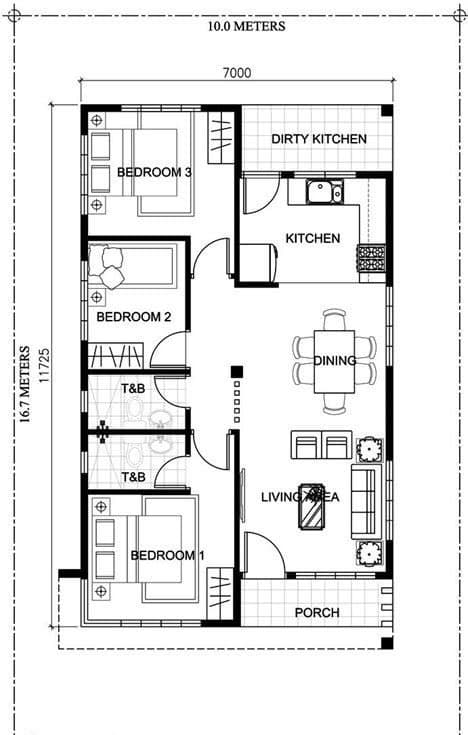
Use the uploaded image as reference, Create photorealistic 3D render of the entire floor plan, seen from afar, to the render, with furniture inside, Keep the exact same rooms at their location, with the right equipment, but remove the text from the final image. High resolution, pro quality.
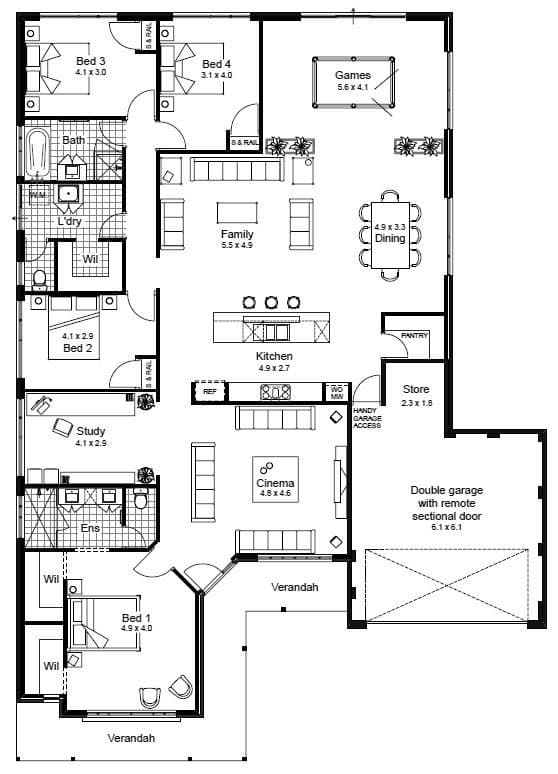
Infographic / Edu Visual - Floor Plan to Photorealistic 3D Render Conversion
Ai Prompts LabNano Banana Pro
Use the uploaded image as reference, Create photorealistic 3D render of the entire floor plan, seen from afar, to the render, with urniture inside, Keeplorized the exact same rooms at their location, with the right equipment, but remove the text from the final image. High resolution, pro quality.
5-Step Marketing Flowchart Diagram Generator
こーたろー/営業×AIの人生再設計士Nano Banana Pro
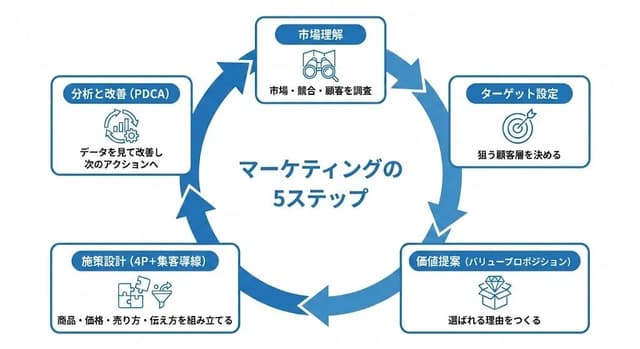
Create a diagram illustrating the "Marketing Flow" in a 5-step circular chart, represented clockwise.

【Overall Style】
・Simple, business-oriented diagram on a white background
・Circular flowchart divided into 5 segments clockwise
・Unified with blue accent colors
・Accurately and clearly render Japanese text
・A neat design ready to be pasted directly into slide materials

【5 Steps of the Circle (Clockwise)】
Place the following 5 items on the outer circumference of the circle and connect them with thick arrows:
1. Market Understanding - Researching the market, competitors, and customers
2. Target Setting - Deciding on the target customer segment
3. Value Proposition - Creating reasons to be chosen
4. Strategy Design (4P + Customer Acquisition Funnel) - Assembling product, price, selling method, and communication
5. Analysis and Improvement (PDCA) - Reviewing data for improvement and next actions

【Layout Conditions】
・Place "Title + Short Description" in a rounded box outside the circle
・Attach one line-art icon to each step
・Write "5 Steps of Marketing" in the center
・Arrows should clearly show the clockwise flow
・Refined composition with ample white space
【Prohibitions】
・Do not use photos of people
・Do not include names or logos of existing companies

【Final Image】
A circular business diagram where the basic marketing process is understood at a glance through 5 elements. Quality suitable for direct use in slides or proposals.
按模型、风格或主题浏览
寻找下一个方向
按用途
App / Web Design →Comics and storyboards →E-commerce images →Game assets →Educational graphics →Posters and flyers →Product marketing →Profiles and avatars →Social media posts →YouTube thumbnails →按风格
3D renders →Anime and manga images →Chibi characters →Film stills →Cyberpunk images →Illustration →Chinese ink images →Isometric →Minimalism →Photography →Vintage images →Sketch and line art →Watercolor →让灵感,继续生长。
在同一个创作空间,连接提示词、参考素材和生成结果。
打开创作画布 ↗