
How to Build a Consistent AI Character Across Images and Video (2026)
A 2026 workflow guide to building a consistent AI character: lock a face reference with Flux Kontext, generate a character sheet, carry identity into video with Vidu, Kling, and OmniHuman, hold consistency across multi-shot sequences, and render hero frames at 4K — all on one Astorie canvas.
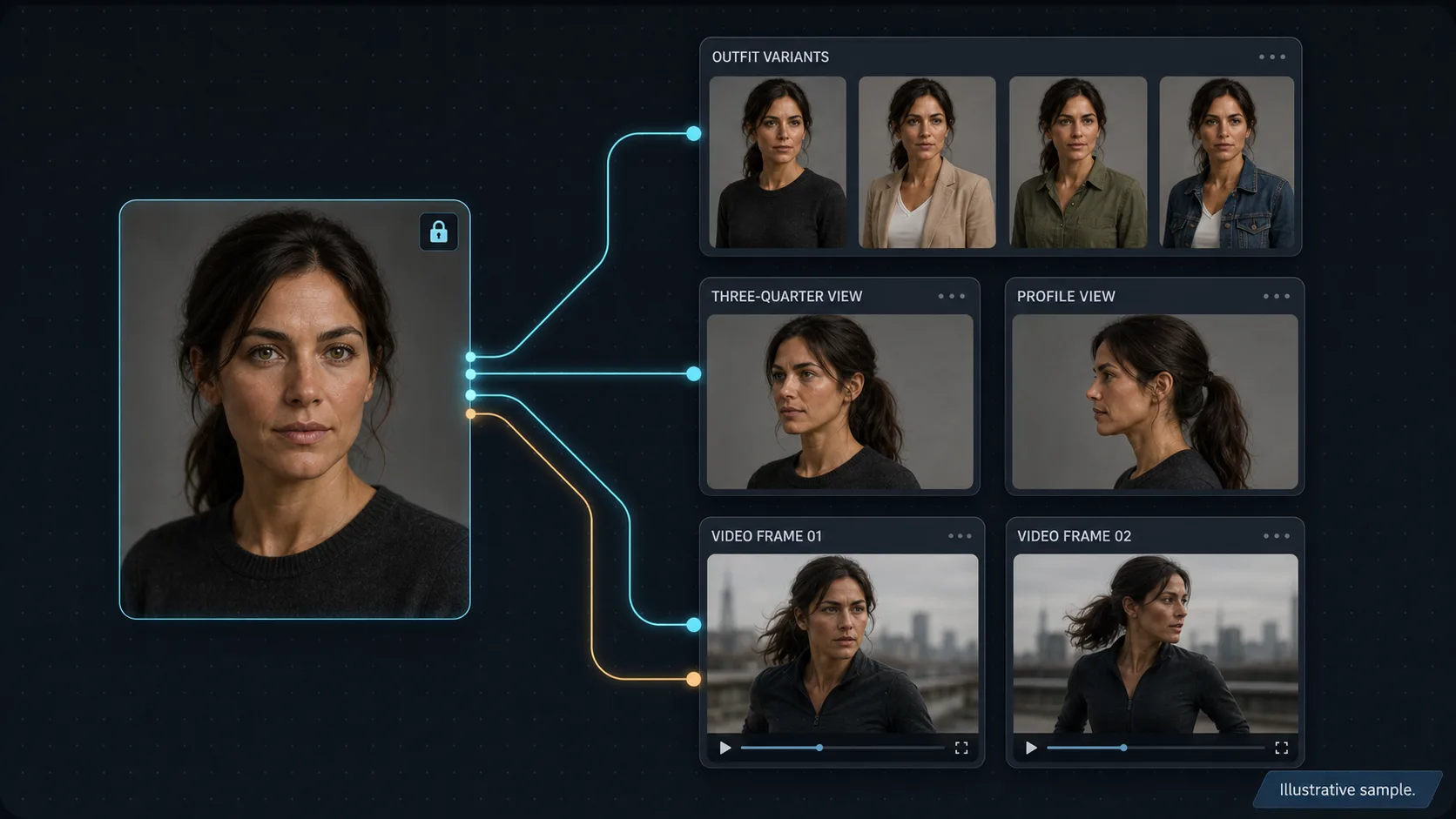
Workflow example
Recurring spokesperson series on Astorie: build the five-pose canonical sheet with Nano Banana 2 (front, three-quarter left, three-quarter right, profile, smiling close-up) and lock the face. For each weekly episode, drop a Nano Banana 2 node for the new scene (kitchen, office, outdoor walk, studio backdrop), wire in the front and smiling references, and pin the chosen still. Use Flux Kontext to put the character in that episode's outfit without touching the face. Drop a Kling Avatar or OmniHuman node downstream, wire the still plus an ElevenLabs audio node carrying the script, and prompt for "subtle gestures, eye contact with camera, slight head movement on emphasis." Render two takes, pick the stronger, send the hero frame through an image-upscale node for the thumbnail, and wire the clip into the NLE export node with intro and outro. Repeat per episode — the character looks like the same person every week because the sheet is shared across every node.
Recommended features
Related models and tools
Tool
AI Image Upscaling
Upscale AI images to 4K, 8K, or print DPI on Astorie — sharpen keyframes before video generation and polish hero stills without leaving the canvas.
Tool
AI Video Upscaling
Upscale generated video to 1080p or 4K on Astorie — iterate at draft resolution, polish only the takes you ship, and export editor-ready masters.
Tool
AI Background Removal
Remove backgrounds and cut out subjects for ecommerce, compositing, and video on Astorie — then recompose them into new scenes on the same canvas.
Related comparisons
Related reading
Nano Banana 2 Workflows for Multi-Image Reference and Character Consistency
Multi-image reference and character consistency workflows on Astorie using Nano Banana 2.
Kling 3 Guide: Variants, Use Cases, and How to Choose
Kling 3, O3, and Avatar variants — when to use each, on Astorie.
How to Turn an Image Into a Video With AI (2026)
Turn any still image into an AI video in 2026: prep the source, pick the right image-to-video model, prompt motion as a camera move, add start/end frames, then fan one image across Seedance 2, Kling 3, and Veo at once on the Astorie canvas and pick the best take.
Ready to try it on the canvas?
Open Astorie and fan your prompt across every frontier model in one workflow.